

 Reply With Quote
First make sure you aren't currently in the /mnt/cdrom directory via a shell or graphical file manager.
Try: "umount /mnt/cdrom"
If that doesn't work try that or "eject cdrom" as root. Hopefully that should work.


I`ve typed:
mount /dev/cdrom /mnt/cdrom
Now I want to put another disk and I don`t know how to unmount it?
Tried eject and umount but it gives me device busy.
First make sure you aren't currently in the /mnt/cdrom directory via a shell or graphical file manager.
Try: "umount /mnt/cdrom"
If that doesn't work try that or "eject cdrom" as root. Hopefully that should work.
I have gotten in the habit of doing this:
sudo umount -a
It won't umount anything that's in use (/home, /, /proc etc) but it will umount everything it can.
 Posting Permissions


S-100 Vector Graphic 12K PROM/RAM Board (Altair, IMSAI)
$99.95

S-100 Vector Graphic 64K Ram Board (Altair, IMSAI)
$99.95

Vintage Digital Research ZSID 1.4 8" Floppy Disk CP/M Z80 Software S-100 Altair
$69.99
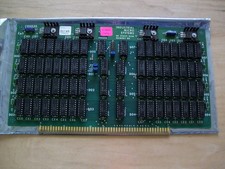
S-100 Industrial Micro Systems 8K Static Ram (IMS, Altair, IMSAI)
$69.95

Altair MITS S100 Backplane 8080A S-100 Replica IMSAI CP/M (bare board)
$40.00

BYTE Magazine Cover Jan 1977 Canvas Print 8"x10" Retro Computer Altair 880
$7.00
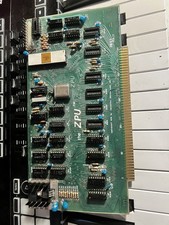
TDL “the ZPU” rev 1 February 1977 s100 cpu board
$345.00

S-100 backplane motherboard bare PCB 9 slot (for Altair/IMSAI)
$34.99

CP/M 86 1.1R 8086 Highmonitor 8 Inch Floppy Diskette 80s IMSAI Altair
$29.99

ALTAIR Bitcoin Mining Solutions PDU IEC SERIES 100-250V 30A/24A Power Distribute
$99.00