

 Reply With Quote
Nevermind, brain fart...i should have been trying to mount /dev/sr0 all along.


Drive: TOSHIBA DVD-ROM SD-R2312
The drive will not mount for whatever reason, scsi timeout error repeats until another error about trying to access past the drive.
/etc/fstab appears to be setup correctly with the right information and at boot Knoppix recognizes the drive a DVD/CD-RW drive.
No way to access drive, anyone have similar issues?
Nevermind, brain fart...i should have been trying to mount /dev/sr0 all along.
You can mount that way OR if you want to use
# mount /dev/cdrom
for example you'll need to make a symbolic link that connects /dev/cdrom to /dev/sr0 like this:
# ln -s /dev/sr0 /dev/cdrom
Then you can test the symbolic link you just made like so:
ls -al /dev/cdrom
It should show you that /dev/cdrom actually points to /dev/sr0
Presuming your /etc/fstab includes /dev/cdrom and a valid mount point then
mount /dev/cdrom
should mount the drive.
Of course you may call it /dev/dvd or whatever you like but most Linux apps will be looking for /dev/cdrom.
Yeah i was aware of that, it appears my sys link to /dev/cdrom was wrong.Originally Posted by rickenbacherus
I had the same problem with the DVD/CD drive in my notebook. The /dev/cdrom symlink was pointing at /dev/sr0 (scsi device?) instead of /dev/hdc like it should have. Changing the symlinked fixed the problem, but I don't know how it got set to /dev/sr0 in the first place since the startup process recognizes it as /dev/hdc. Bug with the install?
Knoppix uses scsi emulation for the drives so that's where the sr0 comes from and the /dev/sr0 would be linked to /dev/scd0 the first scsi device it should have worked but apparently did not perhaps you should file a bug report.
So SCSI emulation would make it point to a SCSI device entry? Interesting. Never fooled around with SCSI emulation before. It seems kind of silly to use it for common devices like CD drives and the like. I'm sure there is a reason for doing so though. Care to enlighten me? I'd file the bug report but I rebuilt my kernel with 2.4.21 and I could have left something out of the kernel that may have caused the problem.
It is used for burners they use scsi emulation to write CD's. You most likely left out the option for scsi emulation when you compiled the 2.4.21.
Don't believe so. I include it so that I can use my CF/SM flash reader. These are the modules I have built for SCSI:Code:jebediah@ark:/lib/modules/2.4.21/kernel/drivers/scsi$ ls ide-scsi.o scsi_mod.o sd_mod.o sg.o sr_mod.o
Well you have the required modules so there is something strange that happened maybe you should file a bug report even with the new kernel. Was there anything in dmesg about passing the drive to scsi emulation that should be there for it to work, also an idea did you change lilo to remove in the append line the hd?=scsi for the drive when you installed the new kernel.
 Posting Permissions


SFP TO RJ45 TRANSCEIVER SFP MODULE COPPER SFP OPTICAL PORT TO RJ45 ETHERNET PORT
$7.99
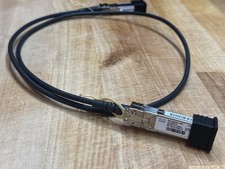
Cisco SFP-H10GB-CU Series 10Gb SFP+ Direct Attach Copper (DAC) Cables
$10.00

Dell Intel X710-DA2 5N7Y5 Dual-Port 10GbE SFP+ PCIe 3.0 x8 Network Adapter
$27.50

NEW Sealed Cisco SFP-10G-LR 10GBASE-LR SFP+ 1310nm 10km *US Shipping*
$24.00

Genuine Cisco SFP-10G-SR 0-2415-03 10 Gigabit Transceiver
$5.40

HP 560SFP+ 10GB 2-port PCIe NIC Ethernet ADAPTER 669279-001 w/ (2) 10GB SFP+
$16.99
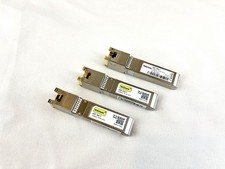
10Gtek ASF-10G-T 10GBase-T SFP+ to RJ45 Copper Transceiver Module
$19.98

Intel X520-DA2 10Gb 10Gbe 10 Gigabit Network Adapter NIC Dual Port E10G42BTDA
$28.94

Intel SPTSLP2SLCDE 100G-DR1 QSFP28 500m 1311nm Transceivers - Lot of 10 - New
$200.00

Cisco WS-C3650-12X48UR-L 48-Port Stackable Layer 3 8x10G SFP+ Port Switch
$129.99