-
tty 80x25 not available
I boot Knoppix 7.0.3 in text-only mode (run level 3). I prefer to have nice big fonts with 80x25 resolution. Every manual says that "vga=normal" will do the job. But this does not work.
With "vga=normal" boot begins in 80x25 mode, but then as soon as video card is recognized screen immediately changes to 132x50 resolution, and remains such forever.
With "vga=ask" I get a number of suggestions, and 80x25 among them ("F00"). But if F00 is chosen, the situation is exactly repeated: screen is originally 80x25, but 132x50 after video detection.
After quite some experimenting, I found the following solution: specify "nomodeset" kernel parameter. Now I get what I want, resolution remains 80x25 forever. But I feel unsatisfied, because this is not a solution but rather a "dirty trick". Is there a way to *instruct* knoppix to load exactly the mode which *I* want?
-
Senior Member
registered user
Greetings, joyko.
Refer to the Knoppix cheatcodes, probably on your system at:
/mnt-system/KNOPPIX/knoppix-cheatcodes.txt
You can change your default boot configuration at
/mnt-system/boot/syslinux/syslinux.cfg
by adding the nomodeset cheatcode found there.
That is, assuming your current DEFAULT is DEFAULT knoppix vga=normal,
change this to DEFAULT knoppix vga=normal nomodeset.
You can try this out before you change anything, just adding
your 'dirty tricks' to the initial prompt. When you find the right
ones, then change syslinux.cfg to make it 'permanent'.
-
Thanks utu! As I said, in principle nomodeset solves my problem, and I get what I need. But I don't like such solution, since I always want to understand what happens. Why knoppix refuses to boot 80x25 with vga=normal (but without nomodese)? For example, Enterprise Linux has no problem with 80x25, just specify vga=normal or vga=785. So, I'd like to understand what is going on and what is the "correct" or "regular" way to choose the screen resolution.
-
Senior Member
registered user
I would expect a 'real' understanding might require one to really understand
both Knoppix's particular init and its X11/xorg procedures in some detail.
I thought I was answering a question on how to *instruct* Knoppix; the answer
for which, quite often, is to use a cheatcode.
 Posting Permissions
- You may not post new threads
- You may not post replies
- You may not post attachments
- You may not edit your posts
-
Forum Rules


SFP TO RJ45 TRANSCEIVER SFP MODULE COPPER SFP OPTICAL PORT TO RJ45 ETHERNET PORT
$7.99

Dell Intel X710-DA2 5N7Y5 Dual-Port 10GbE SFP+ PCIe 3.0 x8 Network Adapter
$27.50

Intel SPTSLP2SLCDE 100G-DR1 QSFP28 500m 1311nm Transceivers - Lot of 10 - New
$200.00

NEW Sealed Cisco SFP-10G-LR 10GBASE-LR SFP+ 1310nm 10km *US Shipping*
$24.00

Genuine Cisco SFP-10G-SR 0-2415-03 10 Gigabit Transceiver
$5.40

HP 560SFP+ 10GB 2-port PCIe NIC Ethernet ADAPTER 669279-001 w/ (2) 10GB SFP+
$16.99

Intel X520-DA2 10Gb 10Gbe 10 Gigabit Network Adapter NIC Dual Port E10G42BTDA
$28.94
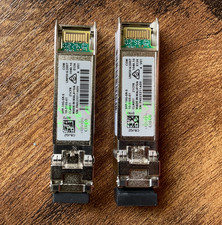
(2) Cisco SFP-10G-SR-S 10G SR SFP+ Transceiver Modules 10-3105-01 - Genuine
$32.88

Cisco Acacia DP04QSDD-E25-840 400G QSFP-DD Coherent DCO Transceiver Module
$699.99

Cisco WS-C3650-12X48UR-L 48-Port Stackable Layer 3 8x10G SFP+ Port Switch
$129.99



 Reply With Quote