

 Reply With Quote
I think you should try the suggestions in the article Start shell script on Network Manager successful connection .


I am using 6.7.1 and have setup Dropbox to autostart by checking the box in Desktop Session Settings:Automatically Started Applications. Where is the script that autostarts dropbox? How can I delay startup by 10 seconds until after internet connection is established?
I think you should try the suggestions in the article Start shell script on Network Manager successful connection .
Thank you for your quick reply. I read your suggestion in the link but admit that I am not very knowledgeable about writing scripts and not sure how to apply it to my situation. I should have been more clear in my original post. When I boot knoppix, Dropbox opens its setup procedure. I think that happens because Dropbox opens before an internet connection is established. I assume that checking the Enabled box for Dropbox in Automatically Started Applications causes a script to run which starts Dropbox. I thought that if I could add "sleep 10" to that script, it would delay Dropbox startup until internet connection was established. By delaying startup until after connection, I would not need to go through the Dropbox setup procedure each time I booted. Is this correct?Originally Posted by klaus2008

I installed Dropbox on Knoppix 7.0.5 via the apt-get command and downloaded the proprietary daemon software.
Then I set up my Dropbox account and found my files. In the directory /home/knoppix/.config/autostart I found a new file dropbox.desktop. It manages the startup of Dropbox after the user knoppix has logged in. Besides some other information it contains a line 'Exec=dropbox start -i'. In an LXTerminal I issuedand read about the options of the dropbox command. Afterwards I decided to edit the file /home/knoppix/.config/autostart/dropbox.desktop and to delete the option '-i' from the command string. I saved the file and rebooted the system. I was connected automatically to the Dropbox server without having been asked for the password.Code:man dropbox
I would suggest that you search for the dropbox.desktop file in the directory and edit the command string.
I hope that helps.
I installed Dropbox a long time ago and, frankly, cannot remember how. Synaptic indicates version 1.4.0 is installed, however it is actually 1.6.11. Nautilus is not installed. I deleted '-i' as you suggested and have rebooted several times a day over a period of several days. Sometimes dropbox connects without setup procedure, sometimes it does not. Seems to be random. One difference is that the file in /autostart is named 'Dropbox', not 'dropbox.desktop'. Also, I found four /.config/autostart directories in: /home/knoppix, /KNOPPIX-DATA/home/knoppix, /UNIONFS/home/knoppix, /KNOPPIX/home/knoppix/. 'Dropbox' file is in the first three, but the /autostart directory in the last is empty. Not sure if any of that helps.
Within '/KNOPPIX/' you can see all of the compressed filesystem "KNOPPIX" from CD/DVD.
During flash disk install "KNOPPIX" will be copied to '/mnt-system/KNOPPIX/KNOPPIX'
Within '/KNOPPIX-DATA/' there is all the content from your persistent memory; but do not change anything here. Write, install, edit config files and so on only in the root-folders like /home/, /etc/, /usr/ ....
'/UNIONFS' is the end effect of '/KNOPPIX-DATA' layed over '/KNOPPIX'
Last edited by Werner P. Schulz; 01-07-2013 at 10:42 PM.
Thank you for explaining the three directories. As you state, I have only made changes to root-folders.
I am still looking for a solution to dropbox occasionally requiring me to go through the setup procedure. After several days of loading properly, today I had to setup again. I still think it has something to do with timing between when I have internet connection vs. when dropbox starts. If internet connection is immediate, dropbox starts normally. If internet connection is delayed and dropbox starts first, dropbox requires setup after internet connection established.
 Posting Permissions


Supermicro 2U X10DRU-i 2x E5-2680 v3 2.5ghz 32gb Ram 240gb SSD 2x GPU *READ*
$369.99

HP ProLiant MicroServer Gen8 G1610T @2.3 GHz, 16GB, 712317-001 NO HDD/OS
$199.00

Supermicro 1U Network Server Appliance 16GB RAM 800GB SSD 6 LAN Ports Powers On
$450.00

Nasuni NF-50 Supermicro Server, Atom CPU C2558, @ 2.40GHz, 8GB RAM-No HDD/OS/AC
$250.00
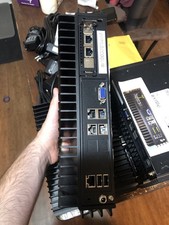
Supermicro SYS-E302-9A Fanless Firewall Atom C3558 16GB ECC 64GB SSD 6x GbE i350
$325.00

New Barebones Supermicro 5019D Server, 4C/8T Xeon D-2123T, 1U Rackmountable, 10G
$449.99

Supermicro 5019D-4C-FN8TP Xeon D-2123IT (4C/8T) 64GB DDR4 10GbE 480GB 1U Server
$689.00

1U Edge Firewall Server X11SCW-F Xeon E-2174G 0 RAM M.2 NVME 3x PCI-e 2x PSU X
$175.00

Supermicro CSE-937 3U Storage Chassis No CPU No HDD No Ram Tested & Reset
$129.99

$280.00