-
Flash to USB installer (experimental) in 7.0.5

Originally Posted by
Blacksimon

1) Launch knoppix installer (experimental version)
2) Select desired target device (I try to use a 16GB Sony Usb not empty)
3) Select installation method:
case "i" Standard installation on FAT32 with knoppix-data < 4GB (I think is the same of old flash-knoppix)
case "p" New type of installation: first parition FAT32 and second partition dedicated to overlay
4) i choose "p" because i want overlay >4GB (if possible...)
5) ok at warning message all data will erase on usb. I want.
6) ok at second warning message before proceed. Do it.
7) select the size of overlay partition. min: 400MB - max: the available free space left on usb
8 ) I select the max (in my case 8728MB)
9) ok to proceed
10) wait the end of the process (formatting, install boot loader, copy data file)
11) now, if you want, you can encrypt with aes the overlay.
12) Enter a password 8-14 chars lenght and then again to confirm
13) Wait the creation of the encrypted overlay
14) End
Hi,
I spent the weekend to no avail but now have an 8GB and 16GB Sandisk and today a 64GB Lexar USB drives with Knoppix 7.05 DVD - None of 3 will boot! Am I missing a step(s), somewhere?
10) wait the end of the process (formatting, install boot loader, copy data file)
I started with the 7.05 DVD .... when I had the Graphical Interface; I selected from (lower left) menu, Knowppix, Install to USB -Experimental. I let the Install Program do everything - Very smooth. When Finished, I reboot and receive the No DEFAULT or UI configuration directive found!
10) wait the end of the process (formatting, install boot loader, copy data file)
So, is your Step number 10... consisting of multiple steps; like installing lilo - Please, it's been some time. I'm back because of the possibility to carry mutiple boots and DVD of data on a USB. Thanks.
 Posting Permissions
- You may not post new threads
- You may not post replies
- You may not post attachments
- You may not edit your posts
-
Forum Rules


Mini Computer Vacuum USB Keyboard Cleaner PC Laptop Brush Dust Cleaning Kit NEW
$13.89

LEVOIT Cordless Vacuum Cleaner, Stick Vac with Tangle-Resistant Design, Up to...
$162.04

Mini Computer Vacuum Cleaner & Compressed Air Duster 14500Pa, 110000RPM, Cordles
$53.99

2-in-1 Compressed Air Duster & Vacuum, Brushless Motor, 320000RPM
$37.99

MAYKU FormBox Desktop Vacuum Forming Machine W / Starter Kit
$399.00
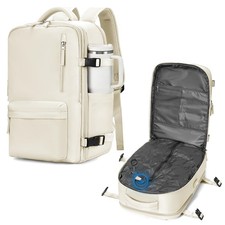
WONHOX Vacuum Seal Backpack for Travel with Air Pump XX-Large, A68-beige
$93.82

US Mini Computer Vacuum USB Keyboard Cleaner PC Laptop Brush Dust Cleaning Kits
$13.89
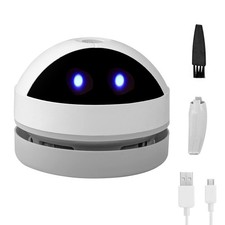
Desktop Vacuum Cleaner Mini Desk Portable Dust Crumb White
$21.35

Cordless Air Duster & Vacuum Cleaner for Keyboard & PC Cleaning - 110000RPM Powe
$53.99

Cordless Handheld Vacuum Cleaner Compatible with DeWalt 20V Battery
$107.67



 Reply With Quote