-
Junior Member
registered user
Knoppix is the only distro that...
...I have successfully run as a persistent USB flash drive. And this is only because it come with it's own built in "Install to Flash Disk" utility.
I've messed with "Linux Mint", Debian, Ubuntu with various levels of success. If I did get it working, it wasn't very stable. Doing this by following step-by-step instructions or by using a tool like Universal-USB-Installer.
Being able to take your computing environment to any computer (that can boot from USB) is a very attractive alternative.
Keep up the good work! Looking forward to the next Knoppix with even more persistent USB options. It would be cool if it could run from USB and be no different then if it were running from hard drive.
-
Senior Member
registered user

Originally Posted by
howie

It would be cool if it could run from USB and be no different then if it were running from hard drive.
What are you missing?
-
Junior Member
registered user
Originally Posted by
utu
What are you missing?
Hi utu,
Let me start by saying I'm no Linux expert so it's a good chance I don't know what I'm talking about.
With the other Linux distros (that didn't quite work out) I've had to specify all the different partitions. One for root "/", one for home "/home" and a swap partition. I'm assuming root is the only place additional software is installed and home is where my files go. The Knoppix USB persistent install is all on one partition with a max of 4 gig persistent space.
I may just be noticing the difference and assuming the other partitions are needed.
Having said all that, what I really would like to do is allocate the remaining space on my USB flash drive for persistent memory. I have a 16 gig flash drive and the highest I can allow for a persistent file is 4 gigs. I say this with the assumption that additional software is installed in the persistent area.
Thanks you for your time!
-
Junior Member
registered user
I'm also making the assumption the files I create are also stored in the persistent area. Now that I think of it, I'm not sure they would need to be.
-
Senior Member
registered user
Greetings again, Howie
With Knoppix 7.0.5 you have TWO choices for persistence files.
One choice is to create one within the same partition as the OS
using Fat32. This persistence file is not limited itself to 4 Gb, but files
placed on it must be less than 4 Gb. And the time it takes to
format a Fat32 persistence file is proportional to its size.
Formatting one larger than 4 Gb may make you think something's
gone haywire before it completes.
A new choice has been added which allows persistence to be
achieved with a separate reiserfs partition. This approach has
no similar 4 Gb file size limitation, and doesn't take any
time at all formatting.
There are a lot of good things about Knoppix and its LiveUSB
is my favorite choice of Linux.
-
Junior Member
registered user
Originally Posted by
utu
This approach has
no similar 4 Gb file size limitation, and doesn't take any
time at all formatting.
Are you referring to the "experimental" USB flash drive utility? When I try to run that, it just errors. Perhaps I need to setup the partitions prior to running the utility?
Do you have any info on how to use this second approach?
Thanks in advance!
-
Senior Member
registered user
Hello again, howie.
The reisers approach is the new 'experimental' approach.
I didn't have any problem with it, myself.
I started with an 8 Gb SanDisk cruzer and/or a 16 Gb SanDisk
'camera card'. Both were formatted Fat32, single partition
at the factory.
Some users report usbs pre-formatted with several small partitions.
That may be a problem. By the way, don't provide the reiserf partition yourself,
let Knoppix do it.
I suggest you see what your usb looks like with gparted, and if
it is not single partition Fat32, then make it so and try again
with the 'experimental' option.
If that doesn't do it, then give our experts here more details
and they'll get to the bottom of it.
-
Senior Member
registered user
ps
Howie, another possibility.
See the following thread.
http://knoppix.net/forum/threads/303...light=reiserfs
There is an acknowledged blip in the experimental setup for some folks.
see especially post #21.
If that's your problem you can try the solution in that thread or wait for Knoppix 7.1.
That'll likely be late March or April even.
-
Junior Member
registered user
Originally Posted by
utu
If that's your problem you can try the solution in that thread or wait for Knoppix 7.1.
That's my same problem. Thanks for the link! I'll try making that change.
-
Senior Member
registered user
Basically, there are two ways to get out of the 4GB persistent store squeeze without going into "experimental" features. First, running Knoppix off a Poor Man's Install on a file system allowing >4GB files (NTFS, ext3/4 reiserfs...), and extending the persistent file. This may also be done on a USB stick, creating a smaller boot partition, putting Knoppix on a larger storage partition, and micro-remastering.
In my experience, if 4GB persistent store is really too little, it is in many cases way better to go by the second route: You mount extra volumes, either directly as partitions, or as loop-mounted images. I routinely setup a large storage partition on the main hard disk, mount it on /store, and use it for all sorts of storage except for programs and program data. If I have to use a Windows PC and cannot re-partition the main disk, I set up a large loop file and mount that image as /store.
You can also extend persistent store within the FAT32 limitation by adding volumes knoppix-data2.img, knoppix-data3.img etc in the KNOPPIX directory, and, for example, modify /etc/rc.local to mount them on boot. Those will be copied with the directory when you use the plain old knoppix-to-flash function.
Last edited by Capricorny; 03-04-2013 at 09:49 AM.
 Posting Permissions
- You may not post new threads
- You may not post replies
- You may not post attachments
- You may not edit your posts
-
Forum Rules


S-100 Vector Graphic 12K PROM/RAM Board (Altair, IMSAI)
$99.95

Vintage Digital Research ZSID 1.4 8" Floppy Disk CP/M Z80 Software S-100 Altair
$69.99

S-100 Vector Graphic 64K Ram Board (Altair, IMSAI)
$99.95
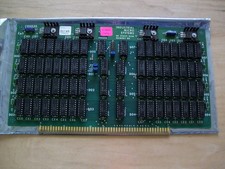
S-100 Industrial Micro Systems 8K Static Ram (IMS, Altair, IMSAI)
$69.95

Altair MITS S100 Backplane 8080A S-100 Replica IMSAI CP/M (bare board)
$40.00

BYTE Magazine Cover Jan 1977 Canvas Print 8"x10" Retro Computer Altair 880
$7.00
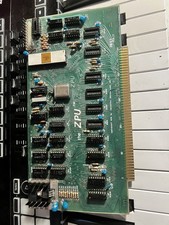
TDL “the ZPU” rev 1 February 1977 s100 cpu board
$345.00

S-100 backplane motherboard bare PCB 9 slot (for Altair/IMSAI)
$34.99

CP/M 86 1.1R 8086 Highmonitor 8 Inch Floppy Diskette 80s IMSAI Altair
$40.00

ALTAIR Bitcoin Mining Solutions PDU IEC SERIES 100-250V 30A/24A Power Distribute
$99.00



 Reply With Quote