-
Manually setting your IP for setting up devices with fixed IP addresses
Hi all, I often set up routers and other devices that start off with default IP addresses that aren't in the "normal" range of private addresses. For example, a Linksys WPG54G device has the default fixed address of 192.168.1.200, but my network has addresses on 192.168.0.* range with DHCP. So how to access the web configuration when you're on a "different" network? Easy peasy. Just launch a terminal, and type "sudo ifconfig 192.168.1.1 up" to assign yourself a address in the 192.168.1.* range. Then you should be able to "ping 192.168.1.200" and get a response. Now you can launch a web browser and do the web configuration on the router or other device. When you want to go back to your normal DHCP, just type "sudo ifconfig down" and wait until the icon on the notification area says "network disconnected", then "sudo ifconfig up" and you will get your DHCP assigned ip address back.
 Posting Permissions
- You may not post new threads
- You may not post replies
- You may not post attachments
- You may not edit your posts
-
Forum Rules


Genuine Cisco SFP-10G-SR 0-2415-03 10 Gigabit Transceiver
$5.40
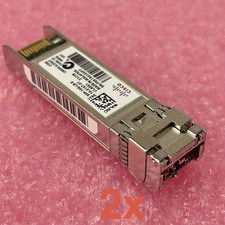
Cisco SFP-10G-LR-S Reset & Tested Lot of 2
$32.99

NEW Sealed Cisco SFP-10G-LR 10GBASE-LR SFP+ 1310nm 10km *US Shipping*
$24.00

Cisco Acacia DP04QSDD-E25-840 400G QSFP-DD Coherent DCO Transceiver Module
$699.99

SFP TO RJ45 TRANSCEIVER SFP MODULE COPPER SFP OPTICAL PORT TO RJ45 ETHERNET PORT
$7.99

Intel X520-DA2 10Gb 10Gbe 10 Gigabit Network Adapter NIC Dual Port E10G42BTDA
$28.94

HP 560SFP+ 10GB 2-port PCIe NIC Ethernet ADAPTER 669279-001 w/ (2) 10GB SFP+
$16.99

Cisco SFP-10G-SR V03 850nm 10GBASE-SR SFP+ MMF 10-2415-03 Transceiver
$4.99
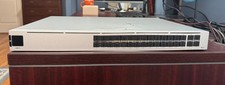
Ubiquiti Unifi USW PRO AGGREGATION 28x10Gbe 4x25Gbe QSFP28 Layer 3 Switch
$700.00
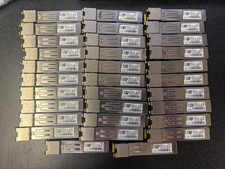
Lot of 32 Cisco GLC-T 30-1410-03 1000BASE-T SFP Transceivers
$150.00



 Reply With Quote