-
Using pendrivelinux.com Universal USB installer tool, I specified the distro as Knoppix and pointed to my Knoppix .iso file. I chose the "format" option for a new FAT32 format...
The resulting partitions appeared identical to those created by the Knoppix Flash Installer,..
The result was a bootable flash drive, recognized by the Dell BIOS as USB-HDD0.
I've tried this by myself and I've found only one difference:
Knoppix formats the first partition as W95 FAT32 but Pendrive against it as W95 FAT32 (LBA).
With my old Laptop I can neither boot with the USB stick formatted by Knoppix nor by Pendrive. Perhaps this is the difference with your Dell.
Last edited by Werner P. Schulz; 07-12-2013 at 07:02 PM.
 Posting Permissions
- You may not post new threads
- You may not post replies
- You may not post attachments
- You may not edit your posts
-
Forum Rules


HP ProLiant MicroServer Gen8 G1610T @2.3 GHz, 16GB, 712317-001 NO HDD/OS
$199.00

Supermicro CSE-937 3U Storage Chassis No CPU No HDD No Ram Tested & Reset
$129.99

Supermicro 1U Network Server Appliance 16GB RAM 800GB SSD 6 LAN Ports Powers On
$450.00

Nasuni NF-50 Supermicro Server, Atom CPU C2558, @ 2.40GHz, 8GB RAM-No HDD/OS/AC
$250.00

HP PROLIANT MICROSERVER GEN8 E3-1220LV2 @ 2.30GHz, 8GB RAM, NO HDD/OS
$164.97

New Barebones Supermicro 5019D Server, 4C/8T Xeon D-2123T, 1U Rackmountable, 10G
$449.99
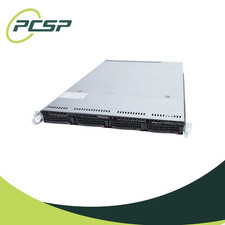
Supermicro CSE-815-5 4B LFF Xeon E3-1245v6 16GB DDR4 1x 9361-8i 4x 1TB SATA HDD
$483.99
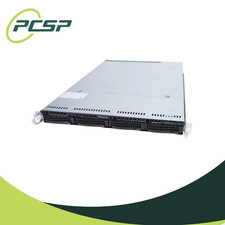
Supermicro CSE-815-5 4B LFF Xeon E3-1220v5 16GB DDR4 1x 9361-8i 4x 1TB SATA HDD
$477.00

Supermicro 505-2 Server
$280.00

Supermicro CSE-937 3U Storage Chassis No CPU No HDD No Ram Tested & Reset
$129.99



 Reply With Quote