-
Senior Member
registered user
The kernel header files are included in Knoppix 7.2.0.
At NVIDIA's website you can find out that your graphics adapter is supported by the Linux driver 325.15. This driver is available in the experimental branch of the Debian distribution.
I will describe how I managed to install the nVidia driver under Knoppix 7.2.0 (CD version on a USB stick with 4 GB persistent store).
After boot up I established a connection to the internet and opened an LXTerminal. I issued the following commands in order to update the list of available packages and to download and install the nvidia-driver plus the configuration tools.
Code:
sudo apt-get update
sudo apt-get -t experimental install nvidia-driver nvidia-settings nvidia-xconfig nvidia-kernel-dkms
sudo reboot
When the Knoppix boot screen showed up I quickly pressed the 'k' key and entered the following line at the boot prompt.
Code:
knoppix xmodule=nvidia 2
Then I pressed the enter key. The system booted up into a shell where I issued
Code:
nvidia-xconfig
init 5
The usual desktop appeared and I used the nVidia tool in the settings section of the menu to examine the system.
The next time I booted Knoppix 7.2 from that USB stick I did not have to use any cheat codes.
I hope your system will work more stable and usable.
 Posting Permissions
- You may not post new threads
- You may not post replies
- You may not post attachments
- You may not edit your posts
-
Forum Rules


Yealink T48S VoIP/SIP Phone, 2 x Gigabit Ports PoE 7" Color SIP-T48S | TESTED
$34.95

Cisco 8861 Gigabit IP Phone Phone 5-line business-class VoIP Wifi Bluetooth
$39.99

Grandstream WP810 Portable Cordless Wi-Fi IP Phone
$49.28

Poly CCX 400 Desktop Business Media Phone VoIP 2200-49700-019
$49.99
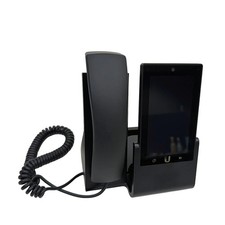
UBIQUITI UVP-TOUCH VoIP Desktop Touchscreen Smart Phone
$55.00
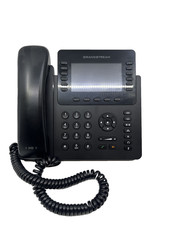
Lot of 10 Grandstream GS-GXP2170 12 Lines 5-way Voice 4.3" LCD VoIP Phone
$339.99

Yealink SIP-T33G IP Phone 4-LineSpeakerphone VoIP Desk Phone Black w/ Power Sply
$25.00
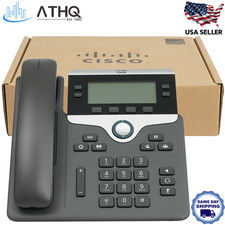
Cisco CP-7841-K9 4-Line Gigabit VoIP IP Phone PoE Office Desk 3.5" Display NEW
$89.99

Cisco CP-8841 IP Phone Charcoal Handset And Stand Included
$27.99
Cisco CP68513PCCK9 Multiplatform IP Phone
$39.00



 Reply With Quote