

Dear Mr. Knopper,
When I click Eject Removable Media, the LEDs of my USB thumbdrives (we call them pendrives) keep glowing.
I have found two packages that help power off the concerned USB port: (1) udisks and (2) udisksctl. The monitor option helps keep track of the status of the drives, and the commands:
.. This can also be achieved real-time with enumerate option.Code:udisks --monitor-detail
orI have created a simple routine with grep "by-id" to find out which drive is running in which usb port, and then use appropriate commands:Code:udisksctl monitor
andCode:--unmount device_file; orCode:--detach device_file
andCode:udisksctl unmountto power off the usb port in question and helps ease taking the drive off the concerned port.Code:udisksctl power-off
However, I can't create a script and then bind the script with the right click / Eject Removable Media event.
Debian Lenny has this option of powering off the usb ports.
How to do this? Could you incorporate this in your later releases?
Regards,
Rajib Bandopadhyay
 Posting Permissions

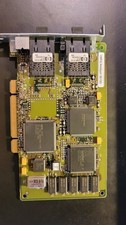
Compaq 242506-001 Netelligent 100 FDDI DAS Fiber SC PCI Network Adapter Vintage
$249.00

Vintage HP 21MX 1000 M-Series Minicomputer Chassis Backplane Parts AS-IS
$228.19

Lot of 2 Vintage Plextor PX-43CS SCSI CD-ROM Caddy Drives + 4 Caddies Used
$55.99

Vintage Apple iMac G4 15" Lamp 700MHz 512MB Mac OS X 10.4.6 W/ Pro Speakers
$300.00
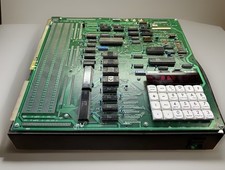
Vintage Intel SDK-86 8086 Microprocessor System Design Kit Evaluation Board
$599.00
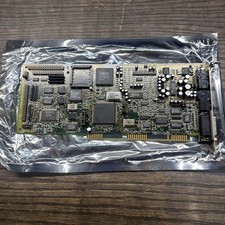
Creative Labs CT1750 Sound Blaster 16 MCD ISA Sound Card Vintage
$79.99

Original Vintage Old Style STANDARD Black CD Jewel Case (Heavy Duty) 90g Lot
$316.95
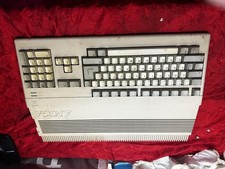
Amiga Commodore A500 - Untested-For Parts or Repair - Vintage
$200.00

Vintage Teac FD-505 5.25" 3.5" Combo Drive 19307571-00
$199.99

VINTAGE COLLECTIBLE Comp USA Maxtor 20 GB 3.5 Inch EIDE Hard Drive NEW SEALED
$500.00


 Reply With Quote