

 Reply With Quote
Good to hear you got it going, could you post the steps you took so people searching the forum will find the solution to the problem not just the question itself.


Ok it's working now, thanks guys
Good to hear you got it going, could you post the steps you took so people searching the forum will find the solution to the problem not just the question itself.
Since the mouse worked with the knoppix cd I just copied the working XF86Config-4 file from the CD to the hard drive where the faulty XF86Confg-4 file was as per stephen's instrucions in the above post. Since I was already mounted to the hdd i just typed in
Filling in the ?? with the id of my hdd, "c5" in my caseCode:sudo cp /etc/X11/XF86Config-4 /mnt/hd??/etc/X11/XF86Config-4
Hope this helps
Matt
Thanks for posting back what was it that you tried that gave you the config file you posted just wondering how it ended up like it that?
I'm not quite sure what i twas, maybe because I ran the XF86 Config program so many times
 Posting Permissions


SFP TO RJ45 TRANSCEIVER SFP MODULE COPPER SFP OPTICAL PORT TO RJ45 ETHERNET PORT
$7.99

NEW Sealed Cisco SFP-10G-LR 10GBASE-LR SFP+ 1310nm 10km *US Shipping*
$24.00

Cisco Acacia DP04QSDD-E25-840 400G QSFP-DD Coherent DCO Transceiver Module
$699.99

Dell Intel X710-DA2 5N7Y5 Dual-Port 10GbE SFP+ PCIe 3.0 x8 Network Adapter
$27.50

Genuine Cisco SFP-10G-SR 0-2415-03 10 Gigabit Transceiver
$5.40

HP 560SFP+ 10GB 2-port PCIe NIC Ethernet ADAPTER 669279-001 w/ (2) 10GB SFP+
$16.99

Intel X520-DA2 10Gb 10Gbe 10 Gigabit Network Adapter NIC Dual Port E10G42BTDA
$28.94
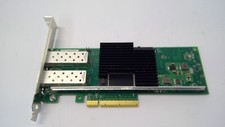
Lenovo 00YK615 Intel X710-DA2 10GbE 2-port SFP+ PCI-E FC Network Adapter NIC
$27.99

CISCO 10GBASE-SR SFP "Lot of 4” SFP-10G-SR
$47.99

Arista SFP-10G-SR 10GBASE-SR XVR-10001-20 850nm SFP+ Optical Transceiver
$20.70