

 Reply With Quote
Using: '/.config/.../autostart' does not work?


.
Greetings, All.
With earlier Knoppix 6s and 7s, I became accustomed to making
small changes to certain system files to achieve some modest LiveUSB
'improvements'. For some reason, I seem to be locked out of the
ability to just go in and modify these files as I used to do.
Two specific files that are resisting my efforts are:
/etc/xdg/lxsession/LXDE/autostart (I want to add iceweasel), and
/etc/syslog-knoppix.conf (I want to add /var/log/syslog)
What has changed that I should know about? TIA.
Using: '/.config/.../autostart' does not work?
Last edited by philo; 08-18-2014 at 10:39 AM.
Greetings, philo.Originally Posted by philo

Adding @iceweasel to /etc/xdg/lxsession/LXDE/autostart doesn't work as it did previously.
/.config/.../autostart is a directory, I'll need some instructions or at least a filename to work with that.
Thanks for the hint.
# startup.desktop
[Desktop Entry]
Name=Startup
Exec="iceweasel"
Icon=
Type=Application
(Adapted from an old Klaus2008 posting)
Did you see this posting by Werner in August 2013:
http://knoppix.net/forum/showthread....l=1#post129773
Greetings, again philo.
I hadn't seen this before, but I think Werner is right here, as usual.
Without a specific page target the results are a little erratic on just what the browser will display;
often, but not always with its own 'oops' message.
I had almost come to Werner's conclusion on my own.
Thanks again for your help.
.
1. I have tamed Compiz to my satisfaction for now.
2. Given that, my Post #4 here now adequately fills my autostart needs.
3. I haven't a clue on how to get syslog back, and Werner's
old syslog solution doesn't work any more, either.
I haven't a clue on how to get syslog back, ..Greetings WernerCode:su mv /etc/syslog-knoppix.conf /etc/syslog-knoppix.conf_orig aptitude install anacron ln -s /usr/sbin/rsyslogd /sbin/syslogd reboot
Greetings, Werner, and thanks.
Using Knoppix 7.2 and previous versions of Knoppix, I created a
few useful utility functions to time (or count) things relative to time at boot
using syslog. Each syslog line entry begins with a character group
formatted similar to a date function response formatted in
hours, minutes and seconds since the time syslog started at boot.
For examples:
What does a typical anacron or cron print-out (or line of output) look like?Code:# Parts of my ~/.bashrc in Knoppix 7.2: alias 'Syslog=less /var/log/syslog' # requires syslog at.Start(){ # echo time at Start (requires Syslog) echo -e "at Start: \c"; Syslog | grep restart | awk '{ print $3 }' } Boot.Time(){ # Seconds to browser on-line (requires Syslog) echo -e "Online at: \c"; Syslog | grep avahi | awk '{ print $3 }' at.Start } Disconnects() { # Wifi disconnects since boot (requires Syslog) echo -e "Time now: \c"; date | awk '{ print $4 }' at.Start echo -e "Wifi disconnects: \c"; Syslog | grep -c disconnecting }
Can you give us a Screenshot?
Last edited by utu; 08-19-2014 at 02:48 PM.
'/usr/sbin/rsyslogd' succeeds '/sbin/syslogd'. But '/etc/init.d/knoppix-autoconfig' still uses '/sbin/syslogd'; therefore I suggest the use of a symlink. Perhaps in a new Knoppix version this will no longer work.
I think your bashrc will work as until now.
Cron or anacron have no print-out. With cron you can define jobs and their execution time to logrotate the output of the logfiles; this will prevent an overflow of '/var/log'. If you doesn't have a server which will run all over the time, you need anacron. It will make up these cron jobs, which could not be carried out because the computer has been shut off at the defined execution time.
 Posting Permissions

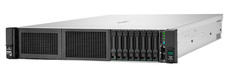
HPE DL385 Gen10 Plus 2x EPYC 7513 1024GB DDR4 RAM 6x 6.4TB 2x 800G SAS 100G RAID
$54229.00

HP ProLiant MicroServer Gen8 G1610T @2.3 GHz, 16GB, 712317-001 NO HDD/OS
$199.00

Supermicro CSE-937 3U Storage Chassis No CPU No HDD No Ram Tested & Reset
$129.99

Supermicro 1U Network Server Appliance 16GB RAM 800GB SSD 6 LAN Ports Powers On
$450.00

Supermicro 2U X10DRU-i 2x E5-2680 v3 2.5ghz 32gb Ram 240gb SSD 2x GPU *READ*
$369.99

New Barebones Supermicro 5019D Server, 4C/8T Xeon D-2123T, 1U Rackmountable, 10G
$449.99
Windows Server 2022 | Intel 18-Core Xeon | 32GB ECC DDR4 | 500GB NVMe | 3TB HDD
$798.00

Supermicro 5019D-4C-FN8TP Xeon D-2123IT (4C/8T) 64GB DDR4 10GbE 480GB 1U Server
$689.00

Nasuni NF-50 Supermicro Server, Atom CPU C2558, @ 2.40GHz, 8GB RAM-No HDD/OS/AC
$250.00

$280.00