-
As a blind User who has been running Adriane as his primary OS since 7.0.5 without the luxury of a sighted person to help set things up, here are some tips I can give: In text-mode, caps lock + navigation keys are by far the most important keyboard shortcuts. Up and down arrow will read on-screen text line-by-line, left and right arrows for character-by-character, and PageUp/Down to read from top of screen to cursor position or from cursor position to end of screen. Last I checked, these were listed in the Adriane Help(item 0 on the main Adriane menu), but I haven't needed to access that screen in nearly two years. As 0WN(the text-mode installer used to put Adriane onto a harddrive) has very little text that is accessible without these shortcuts, they are quite important if you don't have the process memorized. Orca(the graphical mode screen reader used by Adriane) is broken in 7.2. The only solution I've found to be reliable is to add Debian oldstable to your sources.list and downgrade Orca to version 2.4 atspi and python-pyatspi to version 1.3 and Adrian-x to version 1.4. If you don't mind the extra bloat included on the DVD, rebuilding 7.4.2 to boot into Adriane mode by default is fairly simple, and has a version of Orca that works out of the box(but don't trying upgrading Orca as that has thus far lead to breakage everytime I've attempted it). To make the DVD boot into Adriane mode, you just need to change one line of text in a single file. If I remember correctly, the file is /isolinux/boot/isolinux.cfg and the line that needs changin is default auto to default adriane near the top of the file. I had to mount the iso, copy it's contents, chmod the file to make it writeable and rebuild the image with genisoimage, but if you know a method for editing isos directly, it should be even simpler. As for the web browser issue, Ifhave found Firefox(rebranded to Iceweasel in Adriane) with Orca infinitely more usable than Lynx with SBL, through I have noticed some screwy things with newer versions of Firefox and currently run Firefox 24 instead of something newer. Hope this helps.
 Posting Permissions
- You may not post new threads
- You may not post replies
- You may not post attachments
- You may not edit your posts
-
Forum Rules


Dell Precision T5820 Workstation 3.70GHz W-2135 No RAM/ GPU/ HDD/ OS
$179.98

Dell Precision Tower 7810 Xeon E5-2630 v3 @ 2.40GHz , 32GB Ram, NO HDD, NO OS
$239.99
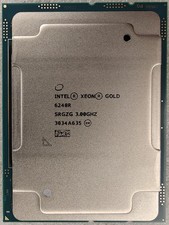
Intel Xeon Gold 6248R 3.0GHz 24-Core SRGZG 35.75MB LGA3647 Server CPU Processor
$225.00

NEW HP Z4 G4 Workstation Xeon W-2123 16GB ECC 256GB NVMe NVIDIA T400 750W Win11
$450.00

Intel Xeon E5-2680 V2 2.8GHz 10-Core 25MB 8GT/s SR1A6 LGA2011 B Grade Server CPU
$7.95

Dell Precision T7820 2x Xeon Silver 4114 2.20GHz 950W No RAM GPU HDD 4x SATA
$354.48

Intel Xeon E5-2699 V4 2.20GHz 55M 22-CORES LGA2011-3 Server Processor 145W SR2JS
$84.49

Dell Precision T7820 2x Xeon Gold 6130 2.10GHz 950W No RAM GPU HDD 4x SATA
$374.48

DELL Precision T3420 | Xeon 1240v6 | 525GB SSD |16GB RAM |Nvidia GPU |Win11
$149.00

Intel Xeon Phi 5110P 60-Core 1.053GHz Coprocessor
$50.00



 Reply With Quote