-
Dear knp:
d- You seem to be a junior member. So I suppose you are not the
person evocated in point 1-b (to w.p.schulz).?
Yap, I am the new finish in town indeed and have been using Linux for just a few months. Under the circumstance of being unable to precisely understand the question quoted above since English is not my mother tongue, I am 110% sure that the post #12 was written by me, and have no slightest clue regarding the matter of point 1-b.
b- I do not plan to study any topics in large details. I need only
"simple" things.
From your post #1 and #8, I inferred that the topic was centralised around how to avoid typing certain cheat codes repetitively at every boot time and how to accomplish this particular task without overwriting the existing MBR and thus the boot loaders of any storage devices. In spite of the words, usb_hdd_knoppix_installed and ISO/IMG file, being mentioned in the post #1 and #8, respectively, I was unable to grasp whether the Knoppix was installed as a compressed file (/mnt-system/KNOPPIX/KNOPPIX ; by default) or an uncompressed Debian-like system and whether Syslinux or GRUB legacy was installed as the bootloader on the USB hard disc. I, therefore, posted two links from Knoppix's wiki with a view to resolving the combination of compressed file and either of the bootloaders. At first glance, the titles of the sections which the links pointed to appeared to be irrelevant to the topic. I, however, assured that the content concisely described the means of setting the argument of lang=fr statically via the configuration file of the bootloader; from the sentence: "To boot this poor man's install..." onwards in the case of GRUB legacy.
From the post #5, #6 and #8, I assume the setup of your computer probably consists of 2 hard drives, one internal and one external discs; the internal hard drive contains (not exclusively) a Windows XP partition and a SOS_Knoppix partition (Knoppix V5.x), and the external drive also has a knoppix partition (Knoppix V7.4.2). In the case of Knoppix being installed in the fashion of compressed file on both hard drives, the cheat code, namely fromhd, may also need to be included when Knoppix V7.4.2 is preferred to be booted. Thus, the compressed file matched with the minirt.gz file can be found and loaded.
For the combination of uncompressed Debian-like system and either of the bootloaders, the files, namely /etc/sysconfig/i18n and /etc/sysconfig/keyboard, may be the key files regarding the settings of language and keyboard layout.
Regards,
 Posting Permissions
- You may not post new threads
- You may not post replies
- You may not post attachments
- You may not edit your posts
-
Forum Rules


Seagate ST6000NM0115 6TB 256MB 7200RPM 3.5" SATA 6.0Gb/s Enterprise Hard Drive
$159.99

Seagate 14TB Exos X14 7200RPM SATA 6Gb/s 256MB 3.5" Enterprise HDD ST14000NM0408
$354.99

Seagate Exos X14 10TB 7200RPM 3.5" SAS 12Gb/s Hard Drive HDD ST10000NM0528
$165.00

Seagate Exos X16 ST10000NM010G 10TB 7200RPM SAS 12Gb/s 3.5" 512e/4Kn HDD
$199.00

ST6000NM0034 DELL 6TB 7.2K 12G SAS 512E 3.5" ENTERPRISE HARD DRIVE 8D1V4 08D1V4
$54.99

HGST HUS724040ALA640 4TB 7200 RPM SATA 3.5" Internal Desktop Drive 100% Health
$78.00

Dell ST91000640SS 1TB 2.5" 6Gb/s 64MB 7.2K RPM SAS Hard Drive Dell P/N: 0VXTPX
$16.99
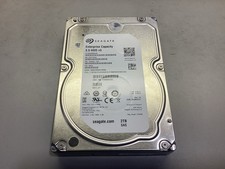
Seagate ST2000NM0045 2TB 3.5" 7.2K 12G SAS Server HDD
$19.99

MG08SCA16TE Toshiba 16TB 7.2K SAS 12gb/s 512e 3.5inch HDD HDEPN10GEA51 NEW
$454.44

Western Digital HUS726T4TAL5204 4TB 7.2K SAS 12Gb/s 3.5" 512e HDD NetApp X375A
$69.00



