

 Reply With Quote
How did you prepare that knoopix with efi boot?. I can't use knoppix with my 2008 15-inch Macbook pro and maybe...


Hi,
When I tried to boot Knoppix (v7.4.2 Live USB EFI boot) MacBook Pro, it get hangs forever. Screen gets freezes without writing or displaying any error on the screen.
Below are details:
OS: OSX YosemiteVersion 10.9.4 (MacBook Pro6,2)
Processor 2.53 GHz Intel Core i5
Memory: 4 GB
Graphics: Intel HD Graphics 288MB
How ever it perfectly worlking on below machine:
OS: OS X YosemiteVersion 10.10
MacBook 13-inch, Aluminium, Late 2008
Processor 2.4 GHz Intel Core 2 Duo
Memory: 2 GB 1067 MHz DDR3
Graphics: NVIDIA GeForce 9400M 256 MB
Any pointers towards resolving the issue will be greatly appreciated.
How did you prepare that knoopix with efi boot?. I can't use knoppix with my 2008 15-inch Macbook pro and maybe...
Knoppix 7.2 DVD and 7.4 DVD supports EFI boot.
I have used the vanilla version KNOPPIX_V7.4.1DVD-2014-09-15-EN.iso downloaded from http://ftp.uni-kl.de/pub/linux/knoppix-dvd/
Even this is perfectly working on another machine:
OS: OS X 10.9.5 (13F34)
MacBook Pro 15-inch, Mid 2012
Processor 2.3 GHz Intel Core i7
Memory: 4 GB 1600 MHz DDR3
Graphics: Intel HD Graphics 4000 1024 MB
Update on the issue: I tried changing the cheat codes in syslinux64.cfg as suggested in http://knoppix.net/wiki/Cheat_Codes but no use.
- boot: knoppix vga=0
- boot: knoppix acpi=off pnpbios=off noapic noapm
Helpful for laptops
- boot: knoppix vga=0 debug -b 3
Thank you for your support! And please, can you tell me how you created the usb live?: with commands in Terminal or with some program (which one?). Maybe I will find the way to make it work. Thanks again.
It is very simple. I have used rufus to burn the USB on Windows. I followed below steps:
(a) Download the KNOPPIX_V7.4.1DVD-2014-09-15-EN.iso from the URL: http://ftp.uni-kl.de/pub/linux/knoppix-dvd
(b) Keep the iso file in a folder in your Windows machine.
(c) Download tiny application rufus from https://rufus.akeo.ie/downloads/rufus-2.2.exe.
(d) Have a USB key (having >5 GB size) and attach it to the windows machine.
(e) Start rufus, Select the USB key under Device, choose "ISO image" under "create a bootable disk using" check box and click the image to select the knoppix iso.
(f) Click on Start. Have a cup of coffee. That's all, it is done.
Once USB key is read with Knoppix, then attach the USB key to MacBook machine, press alt/option key and start the MacBook. Once you see the "EFI boot" release the alt/option key and click on the USB key icon. It will take 5 to 10 seconds to boot Knoppix on MacBook.
Thank you very much. I have used many programs these last months but I never solved the problem to boot in my Macbook pro. I have always find problems. I have also used the Terminal with commands to create the usb pen drive but the same thing. Yes, I know how to do it but I was asking if the program you used could be another solution or something more to test. I appreciate it
jalb , did you get a chance to test Knoppix in your MacBook Pro ?
Not yet, but I will find some time to do it soon.
Hello again, I have tested it and the same bad result: clicking alt/option when I boot my Mac but it doesn´t appear. Only my Yosemite and the Recover, nothing more. I don´t know why "EFI boot" doesn´t appearThank you anyway.
 Posting Permissions


Broadcom LSI 9305-16i 12Gbps SAS-3 PCIe x8 HBA 16-Ports Raid Controller
$64.99
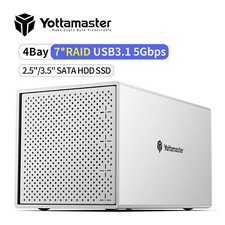
4 Bay RAID Type C Hard Drive Enclosure External For 2.5“ 3.5" SATA SSD HDD 88TB
$142.49
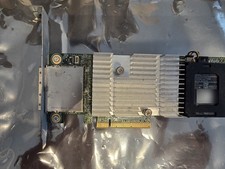
Dell PERC H810 1GB NV Cache External SAS RAID 0VV648 w/ Battery Full Height
$21.99

HP controller P3410-69003 NetRAID-1M SCSI 64-bit U160 32MB Cache (PCI)
$359.00
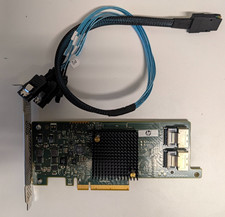
HP 660088-001 SAS9205-8i 6GB/s SAS SATA HBA Raid Controller Adapter Card PCIe3
$20.00

Dell PERC H740p Mini Mono RAID Controller 8GB 0878M 5FMY4 GP6RN
$55.00

MegaRAID 9580-8i8e 16-port 12G SAS/SATA/NVMe 8GB PCIe RAID - 05-50076-00
$1619.30

Inspur LSI YZCA-00424-101 12Gbps SAS 3.0 RAID Controller CARD HBA HDD
$14.99

Broadcom 9600-24i Tri-Mode RAID Controller 4.0 NVMe SAS SATA NEW 05-50111-01003
$639.69

KTN-STL3 EMC VNX 15-slot Disk Array Expansion, full 15 x 2tb drives 100% health
$360.00