
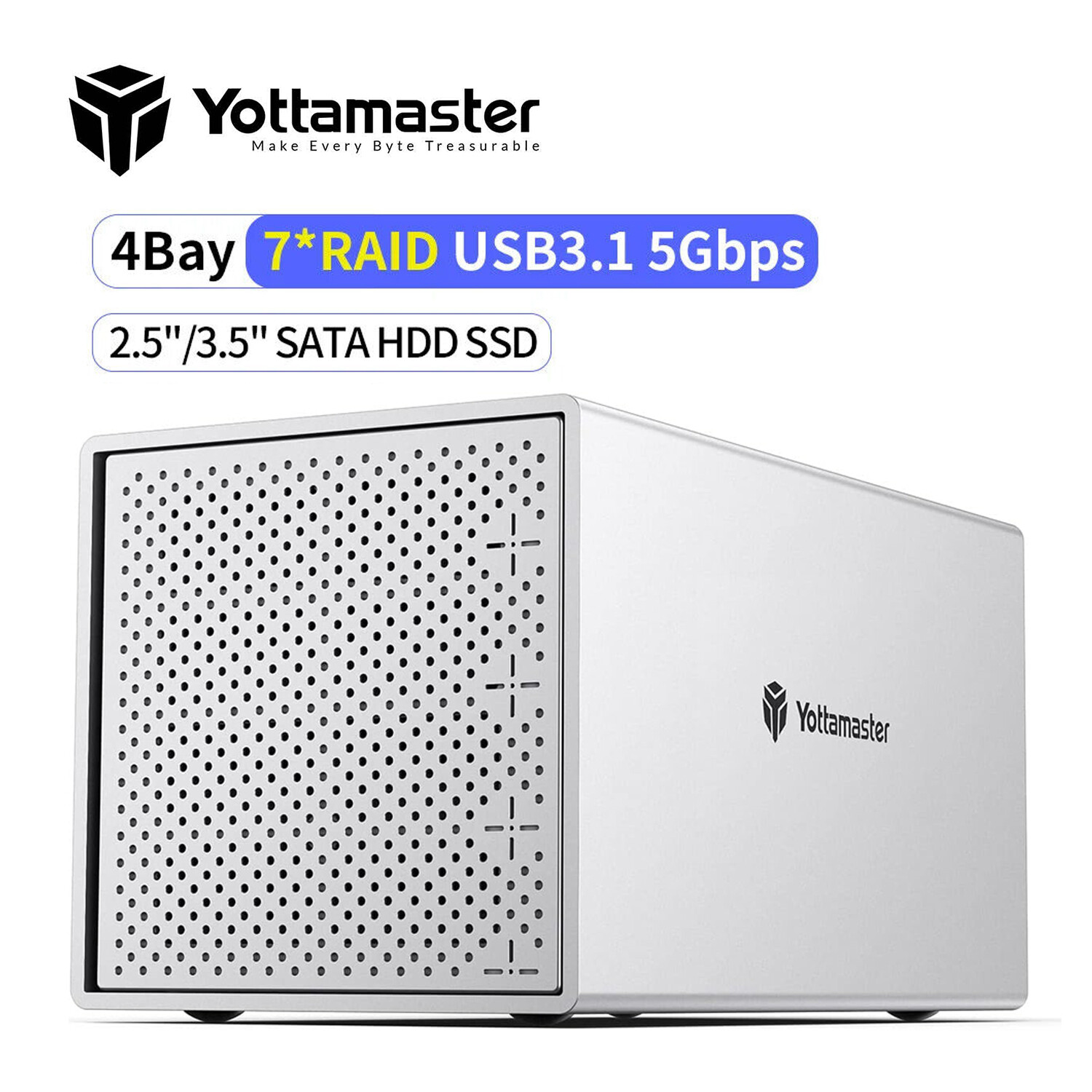
4 Bay RAID Type C Hard Drive Enclosure External For 2.5“ 3.5" SATA SSD HDD 88TB For Sale

When you click on links to various merchants on this site and make a purchase, this can result in this site earning a commission. Affiliate programs and affiliations include, but are not limited to, the eBay Partner Network.

4 Bay RAID Type C Hard Drive Enclosure External For 2.5“ 3.5" SATA SSD HDD 88TB:
$142.49
- [Reliable External Storage System for Individuals] -This 4 bay hdd enclosure support up to 88TB external expanded storage. The front door adopt user-friendly PUSH Design for easy install and replacement of hard drives. It is an ideal choice for personal storage at home and office. It can support different drive type(s)-2,5"/3,5" HDD/SSDs, so you can take advantage of your hard drives' potential fully.
- [88TB Large Storage Capacity ] -The 4 bay hard drive enclosure can house up to 4 hard drives, single disk support up to 22TB. Such Large capacity supported let you handle various work demands easily, like digital imaging, video production/editing, duplicating footage, create and manage archives.
- [80mm Silent Fan Inside] -The 4 bay usb enclosure built with rugged heat-dissipating aluminum shell, front and rear with cooling holes, a 80mm silent fan inside can effectively accelerate air convection and rapid cooling. It is ideal for noise-sensitive environments.
- [For 2,5/3,5-inch Hard Drives] -It comes with four removeable trays, allowing for easy installation and replacement of either the large desktop hard disk drives or the portable laptop drives and SSD's.
- [6Gbps Transfer Rate] -This 4 bay external hdd enclosure adopt SATA III protocol, transfer rate up to 6Gbps (MAX). Equipped with a versatile USB3.0 Type-B interface to connect other peripheral devices. Compatible with most Windows, Mac and Linux systems.
Yottamaster desktop storage is perfect for storage-intensive applications.
If you are looking for something solid to house your growing need for external drives. and if you want one enclosure that could house them all instead of having multiple drives hanging off the back of your iMac .Yottamaster 4 Bay HDD Enclosure will be works perfectly for you.
- Single disk up to 22TB.
- Support Windows, MAC, Linux Systems.
- All aluminum body shell and 80mm Cooling Fan & front and rear meteor holes for better heat dissipation.
- 12V/6.5A power supply
- PUSH design allows you to replace the hard drive more conveniently.
- USB3.0 to SATA 3.0 6Gbps Transfer Speed, backwards compatible with USB2.0/1.0.
What you will get:
1 x 4 Bay USB 3.0 Hard Drive Enclosure, 1 x USB 3.0 Cable, 1 x 12V 6.5V Power Adapter, 1 x Screwdriver kit, 1 x Product Manual
NOTE: If an error occurs on one of the hard disks, the corresponding LED will turn red, and the device will issue a warning beeping(didididi...) to remind you to replace the new hard disk.
For more questions, please refer to the PDF file-User Guide on the product page.
Yottamaster- Make Every Byte TreasurableIf you are looking for something solid to house your growing need for external drives. And if you want one enclosure that could house them all instead of having multiple drives hanging off the back of your iMac. Yottamaster Y-Pioneer Series enclosure will be works perfectly for you.- The Y-Pioneer Series of disk stations are Yottamaster's high-end storage products, with aluminum-magnesium alloy body and anodizing surface,a kind of excellent design; USB 3.0 interface with USB3.0 to SATA3.0 6Gbps program.
- Supporting USB 3.0 5Gbps high speed trasmission; Yottamaster disk station will bring you a different product experience with a new design.
- 1 x 4 Bay USB 3.0 Hard Drive Enclosure
- 1 x USB 3.0 Cable
- 1 x 12V 6.5A Power Adapter
- 1 x Screwdriver kit
- 1 x Product Manual
- 1 x Service Card.
Please refer to the picture attached to insert the plug as the indicated direction, or the enclosure won't work properly if the plug is inserted in a wrong direction.
Make sure that the flat end of the power connector is facing up.
Install 2.5"/3.5" HDD/SSDNo need to buy different hdd cases for different sizes of hard drive.
- 2.5" HDD: fixed with 4 screws at the bottom.
- 3.5" HDD: fixed with 4 screws on both sides.
- Spare trays are sold separately in a set of six trays, extra screws are provided, Get it at ASIN: B083S8VDQK.
Keep your HDD/SSD in normal temperature.
- Cool all-aluminum enclosure.
- Air convection cooling duct design.
- Front and rear with large area cooling holes.
- 80 mm silent fan speed up convection and rapid cooling.
Four indicator lights monitor the status of each disk.
- Blue light: Power on
- Blue light flashing: Reading data
- Red light: Hard drive error
Troubleshooting Guide
- Q: How do i know if one of the hard drive is failed?
If one of the drives is damaged/failed, the corresponding indicator will turn red and the enclosure will make a warning sound(beep).
- Q: How to Replace A Hard Drive?
If you want to replace one of the drives in the enclosure with a new one, or one of the drives is damaged/failed, please take following steps:
1. Find the drive(bad one or the one you wanna replace). Eject the enclosure from the computer and then power off the enclosure.
2. Pull out the drive. Format the new drive on another device first. Then insert the new drive to the original position and turn on the enclosure.
- Q: How to add a new hard drive into the enclosure?
1. Safely eject the enclosure from your computer and then turn off the enclosure.
2. If the drive you want to add is a brand new drive, please format it on another device. Then insert it into the enclosure. Do not change the drive order.
- Q: Can I connect the device to the computer through a hub?
We recommend that you connect the device directly to the computer, as the connection may be unstable through a hub.
- Q: What are the specification of the fan?
The diameter is 80mm, the voltage is 12V, and there is no current limit. 2 PIN.
On Oct 13, 2026 at 02:53:24 PDT, seller added the following information:Documentation
- Customizing Knoppix
- Remastering Knoppix
- Hard Drive Install
- Knoppix Cheat Codes
- Install Knoppix How-To