-

=========================
Knoppix 9.1 and mame 235
==========================
You can install mame 235 and run under knoppix9.1 by getting the debian i386 packages from testing (bookworm):
https://packages.debian.org/bookworm/i386/mame/download
Download Page for mame_0.235+dfsg.1-2_i386.deb
https://packages.debian.org/bookworm...-data/download
Download Page for mame-data_0.235+dfsg.1-2_all.deb
You still need these files also (see my previous post about mame 228 above for more information)
liblua5.3-0_5.3.3-1.1+b1_i386.deb
libpugixml1v5_1.11.4-1_i386.deb
You can also get mame-doc (0.235+dfsg.1-2) if you like.
Then just put them all in a directory and "sudo dpkg -i *.deb" and then you should be able to run mame 235 by running "mame".
Mame 235 is only a couple of months old, so it's pretty up to date.
=======================
(The Mame 237 debs in sid won't work on knoppix 9.1)
If you search at package.debian.org for mame there's various versions available, 235 being the most recent that will work on knoppix 9.1.
stretch (oldoldstable) (games): Multiple Arcade Machine Emulator (MAME)
0.182-1: amd64 arm64 armel armhf i386 mips mips64el mipsel ppc64el s390x
buster (oldstable) (games): Multiple Arcade Machine Emulator (MAME)
0.206+dfsg.1-1: amd64 arm64 armel armhf i386 mips mips64el mipsel s390x
bullseye (stable) (games): Multiple Arcade Machine Emulator (MAME)
0.228+dfsg.1-1: amd64 arm64 armhf i386 mips64el ppc64el s390x
bookworm (testing) (games): Multiple Arcade Machine Emulator (MAME)
0.235+dfsg.1-2: amd64 arm64 armel armhf i386 mips64el ppc64el s390x
sid (unstable) (games): Multiple Arcade Machine Emulator (MAME)
0.237+dfsg.1-1: amd64 arm64 armel armhf hppa i386 mips64el mipsel ppc64 ppc64el riscv64 s390x sh4 sparc64 x32
-
=========================
Knoppix 9.1 and other emulators
==========================
You can get other emulators running also, not just mame. I was able to get:
atari800
vice (name of executable program is x64, xpet, x128 )
dosbox
fs-uae
stella
running on knoppix9.1 by downloading the deb packages from package.debian.com (bullseye stable)
You could also use synaptic to download the packages, but I like the debs so I can install it offline (no internet necessary).
atari800_4.1.0-3_i386.deb
vice_3.5.0.dfsg-3_i386.deb (c64 emulator)
stella_6.5.2-1_i386.deb (atari 2600 emulator)
dosbox_0.74-3-3_i386.deb (dos games emulator)
libsdl-sound1.2_1.0.3-9+b1_i386.deb
fs-uae_3.0.5+dfsg-1_i386.deb (fs-uae is an amiga emulator)
fs-uae-launcher_3.0.5+dfsg-1_all.deb
python3-pyqt5.qtopengl_5.15.2+dfsg-3_i386.deb
There's other emulators too:
https://packages.debian.org/bullseye/games-emulator
(This metapackage lists a bunch of emulator packages)
Last edited by don999; 11-06-2021 at 02:19 AM.
-
=========================
Getting the joystick/gamepad working (using setfacl)
==========================
Okay, I have spent way more time than I ever wanted to fiddling with permissions and the like. However, I've found a pretty simple way to get the joystick working.
There's actually two different styles of joystick access: one is with /dev/input/eventX and the other is with /dev/input/jsX.
I think /dev/input/eventX is the more recent, and /dev/input/jsX is the "old" way.
So when I boot knoppix, my gamepad shows up as /dev/input/event4. So you'll need to figure out which file represents your gamepad.
When I do a "ls -l /dev/input/by-id" the gamepad has a symlink to /dev/input/event4.
So I do this:
Code:
sudo setfacl -m "u:knoppix:rw-" /dev/input/event4
sudo setfacl -m "u:knoppix:rw-" /dev/input/js0
touch /dev/input/js0
so once you "touch" the js0, it sets up a symlink to /dev/input/js0 in the /dev/input/by-id directory.
When you run touch, it may complain about not being able to set the time. (Doesn't seem to hurt anything)
The reason I use "touch" is to make an access to /dev/input/js0.
Running "hexdump -C /dev/input/js0" would do the same thing (CTRL+C to exit after generating some joystick activity).
The setfacl commands above will give the user knoppix read and write file access using an access control list. setfacl = set file access control list (-m is modify).
getfacl = get file access control list.
If you do a "ls -l /dev/input" you will see a + after rw-rw-r--+, the + indicates that there's an access control list for that file.
So as a test, launch chromium or firefox, go to "about:blank" and bring up the f12 console. Press a joystick button. Type "navigator:getGamepads()" and hit enter.
Remember that you have to generate joystick activity (like pressing buttons) to see the gamepad in chromium or firefox.
If your joystick is working on /dev/input/js0 you should see a list like
Code:
(firefox)
navigator.getGamepads()

Array [ Gamepad ]

(chromium)
navigator.getGamepads()
GamepadList {0: Gamepad, 1: null, 2: null, 3: null, length: 4}
If it isn't working, you will see
Code:
(firefox)
navigator.getGamepads()

Array []

(chromium)
navigator.getGamepads()
GamepadList {0: null, 1: null, 2: null, 3: null, length: 4}
Once you enter the commands below, press a joystick button. Type "navigator:getGamepads()" and hit enter. You don't have to relaunch firefox or chromium if it's already open, it should work.
Code:
echo launch chromium or firefox here and getGamepads here wont work
sudo setfacl -m "u:knoppix:rw-" /dev/input/event4
sudo setfacl -m "u:knoppix:rw-" /dev/input/js0
touch /dev/input/js0
echo now getGamepads here should work
Last edited by don999; 11-14-2021 at 01:19 AM.
 Posting Permissions
- You may not post new threads
- You may not post replies
- You may not post attachments
- You may not edit your posts
-
Forum Rules


Cisco SFP-10G-SR Transceiver
$4.00

Qty 20 New Cisco QSFP-100G-FR-W2 10-3659-01 Module Hologram Brand New 20 Pack
$260.00

SFP QSFP Transceivers Programmer allows to corning and (re)programming sfp code
$108.09
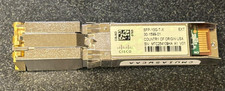
Cisco SFP-10G-T-X 10G SFP 30m Transceiver 30-1599-01 w/ Hologram
$200.00

Intel X520-DA2 10Gb 10Gbe 10 Gigabit Network Adapter NIC Dual Port E10G42BTDA
$28.94

10Gb SFP+ to RJ45 Module Copper Cat6 Transceiver Compatible w/5Gb/ 2.5Gb/ 1Gb
$31.95
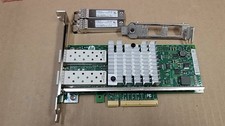
HP 669279-001 560SFP+ Ethernet 10Gb 2-Port Network Adapter Card W/SFPx2 -Both
$14.99

SFP TO RJ45 TRANSCEIVER SFP MODULE COPPER SFP OPTICAL PORT TO RJ45 ETHERNET PORT
$7.99

Cisco Acacia DP04QSDD-E25-840 400G QSFP-DD Coherent DCO Transceiver Module
$699.99

30PCS Sealed Cisco SFP-10G-SR 10GBASE-SR SFP+ Transceiver Module MMF 850nm 300m
$499.99



 Reply With Quote