-
=========================
Getting the joystick/gamepad working (using setfacl)
==========================
Okay, I have spent way more time than I ever wanted to fiddling with permissions and the like. However, I've found a pretty simple way to get the joystick working.
There's actually two different styles of joystick access: one is with /dev/input/eventX and the other is with /dev/input/jsX.
I think /dev/input/eventX is the more recent, and /dev/input/jsX is the "old" way.
So when I boot knoppix, my gamepad shows up as /dev/input/event4. So you'll need to figure out which file represents your gamepad.
When I do a "ls -l /dev/input/by-id" the gamepad has a symlink to /dev/input/event4.
So I do this:
Code:
sudo setfacl -m "u:knoppix:rw-" /dev/input/event4
sudo setfacl -m "u:knoppix:rw-" /dev/input/js0
touch /dev/input/js0
so once you "touch" the js0, it sets up a symlink to /dev/input/js0 in the /dev/input/by-id directory.
When you run touch, it may complain about not being able to set the time. (Doesn't seem to hurt anything)
The reason I use "touch" is to make an access to /dev/input/js0.
Running "hexdump -C /dev/input/js0" would do the same thing (CTRL+C to exit after generating some joystick activity).
The setfacl commands above will give the user knoppix read and write file access using an access control list. setfacl = set file access control list (-m is modify).
getfacl = get file access control list.
If you do a "ls -l /dev/input" you will see a + after rw-rw-r--+, the + indicates that there's an access control list for that file.
So as a test, launch chromium or firefox, go to "about:blank" and bring up the f12 console. Press a joystick button. Type "navigator:getGamepads()" and hit enter.
Remember that you have to generate joystick activity (like pressing buttons) to see the gamepad in chromium or firefox.
If your joystick is working on /dev/input/js0 you should see a list like
Code:
(firefox)
navigator.getGamepads()

Array [ Gamepad ]

(chromium)
navigator.getGamepads()
GamepadList {0: Gamepad, 1: null, 2: null, 3: null, length: 4}
If it isn't working, you will see
Code:
(firefox)
navigator.getGamepads()

Array []

(chromium)
navigator.getGamepads()
GamepadList {0: null, 1: null, 2: null, 3: null, length: 4}
Once you enter the commands below, press a joystick button. Type "navigator:getGamepads()" and hit enter. You don't have to relaunch firefox or chromium if it's already open, it should work.
Code:
echo launch chromium or firefox here and getGamepads here wont work
sudo setfacl -m "u:knoppix:rw-" /dev/input/event4
sudo setfacl -m "u:knoppix:rw-" /dev/input/js0
touch /dev/input/js0
echo now getGamepads here should work
Last edited by don999; 11-14-2021 at 01:19 AM.
 Posting Permissions
- You may not post new threads
- You may not post replies
- You may not post attachments
- You may not edit your posts
-
Forum Rules

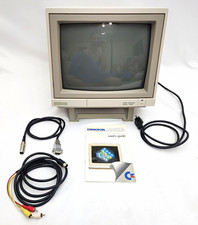
Commodore 1902A Color CRT Monitor C64 C128 Original Box Manual Cables Powers On
$290.00

Commodore OS USB | Bootable LIVE + Install | The Ultimate Gaming Linux OS | NEW
$11.99
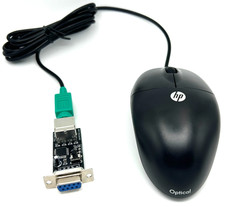
Commodore 64 1351 Compatible Optical Mouse with Adapter (Geos etc) - USA Seller
$29.99

Pi1541 Zero with Epyx Fastload Hat, Case & 16gb SD for Commodore 64 and 128
$79.99

Commodore 64 Serial Cable 6PIN DIN 1541 1571 C64 128 C128 Disk Drive Printer USA
$10.49

Commodore Amiga 500 Vintage Computer A500 No Power Supply
$249.95

Commodore 1541 Emulator Complete incl PI Zero & 2GB SD CARD, OLED, USA Seller
$59.99

Commodore Amiga 1010 External 3.5” Floppy Disk Drive A500 A1000 A2000 UNTESTED
$115.00

Commodore 64 Dead Test & Diagnostic Cartridge & Test Harness Set - USA seller
$39.99
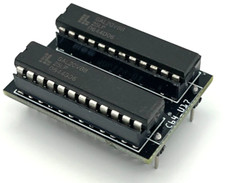
Commodore PLA Replacement MOS 906114-01 / PLS100 for C64, SX 64 High Quality USA
$12.99



 Reply With Quote