-
Senior Member

I found syslinux.cfg in >Root >KNOPPIX >boot and added
inside APPEND: -->tz=America/Vancouver
Now, in window under ---> Preferences ---> Time and Date the line 'Time zone' is filled in correctly (America/Vancouver) and the line 'Configuration' is filled in correctly (Keep synchronized with Internet servers) as well.
I still don't get the PST (Pacific Standard Time) though. Only if I switch the configuration back and forth between 'Manual' and '...synchronized...' then, after a few minutes, the PST is shown....
What else is missing?
Last edited by Karibu; 10-14-2017 at 02:53 AM.
Reason: more text
 Posting Permissions
- You may not post new threads
- You may not post replies
- You may not post attachments
- You may not edit your posts
-
Forum Rules


Gigabyte 4U AI Server 10x Nvidia GPU 2x Xeon Gold 6150 36 Core 2.7GHz DDR4 RAM
$1625.00

Dell EMC PowerEdge R440 Xeon silver 4215 2.5GHz 16 GB ram 2x 550W PSU No HDD
$275.00

Microsoft Windows Server 2025 Standard 64Bit 16 Core-50 CALs DVD With Key Sealed
$49.99

867959-B21 HPE ProLiant DL360 G10 CTO Server W/ 2x 865414-B21 1x 840140-001
$245.00
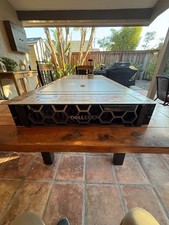
Dell PowerEdge R750 2x Xeon Gold 6326 96GB 12x1.92TB SSD H755 Win 2022
$4999.00

Dell PowerEdge C4130 1U AI GPU Server | 2x E5-2680 v3 | 32gb Ram | 2x 1600W
$409.99

Dell EMC PowerEdge R740 8 Bay Server w/ 32GB RAM 2x GOLD 6132 2x 1600W PSU H730p
$499.88

Dell PowerEdge R730XD 28 Core Server 2X Xeon E5-2680 V4 H730 32GB RAM No HDD
$378.93

Dell EMC VxRail E560F 10-SFF 2*Gold 6230R 2.1GHz No RAM HBA330 iDrac Ent Server
$349.99

Microsoft Windows Server 2025 Standard 64Bit 16 Core-50 CALs DVD With Key Sealed
$94.95



 Reply With Quote