

 Reply With Quote
Try this:
apt-get update
apt-get -t unstable libgdk-pixbuf2
What this does is load libgdk-pixbuf2 and its dependencies from the unstable branch of debian. Hopefully it will fix your problem.
HTH
rock

Recently I installed Knoppix on my HDD without any problems. I am new in Debian systems and don't know very vell all features of apt-get, dpkg and dselect. Because of that I upgraded my package libgdk-pixbuf2-0.18 with a new one (from Debian unstable), but unfortunately there are dependencies which is not solved. So, how can I get my old package from default Knoppix instalation (There is no libgdk-pixbuf2-0.18 in Debian releases).
Bye!

Try this:
apt-get update
apt-get -t unstable libgdk-pixbuf2
What this does is load libgdk-pixbuf2 and its dependencies from the unstable branch of debian. Hopefully it will fix your problem.
HTH
rock
To answer the actual question asked by alex to start this thread: If you have unresolved dependencies, the package won't have fully installed. All you need to do is run "apt-get -f install" as root (with no packages specified). It should offer to remove the package you attempted to install which had unmet dependencies.
 Posting Permissions


SFP TO RJ45 TRANSCEIVER SFP MODULE COPPER SFP OPTICAL PORT TO RJ45 ETHERNET PORT
$7.99

NEW Sealed Cisco SFP-10G-LR 10GBASE-LR SFP+ 1310nm 10km *US Shipping*
$24.00

Cisco Acacia DP04QSDD-E25-840 400G QSFP-DD Coherent DCO Transceiver Module
$699.99

Arista SFP-10G-SR 10GBASE-SR XVR-10001-20 850nm SFP+ Optical Transceiver
$30.00

Genuine Cisco SFP-10G-SR 0-2415-03 10 Gigabit Transceiver
$5.40

HP 560SFP+ 10GB 2-port PCIe NIC Ethernet ADAPTER 669279-001 w/ (2) 10GB SFP+
$16.99

Intel X520-DA2 10Gb 10Gbe 10 Gigabit Network Adapter NIC Dual Port E10G42BTDA
$28.94
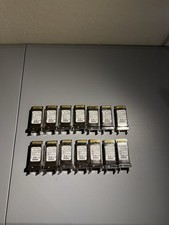
CISCO CVR-X2-SFP10G X2 to SFP+ 10GB 74-6321-03 Converter Module *Lot of 14”
$115.19

Dell 10 Gigabit SFP+ SR Transceiver 0XYD50 NEW SEALED
$24.99
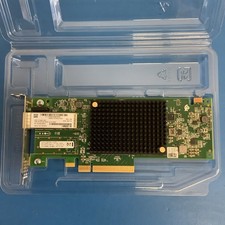
Dell Mellanox ConnectX-4 Lx CX4121C 020NJD Dual-Port 25GbE SFP28 NIC Low Profile
$35.00