

 Reply With Quote
If you can see it on your KDE desktop, you just click on it and it should mount and open. The green arrow on the lower right corner of the desk top cdrom icon indicates it's now mounted.

Hello all-
I'm use to the supermount cdrom from the redhat-mandrake linux linux
How do I mount the cdrom drive? I see a /cdrom under root, but no /mnt/cdrom?
Any help will be appreciated!

If you can see it on your KDE desktop, you just click on it and it should mount and open. The green arrow on the lower right corner of the desk top cdrom icon indicates it's now mounted.
--If you need to "mount" the cdrom, then you must be running from the HD. Otherwise, all you have to do is ' ls /cdrom '.
Try (as root of course) :
' mkdir /mnt/cdrom ' == JIC
' mount /dev/scd0 /mnt/cdrom -oro '
' ls /mnt/cdrom '
--BTW, you can also try mounting sr0, and /dev/cdrom. The mount point you use can also be any existing directory name. (i.e. you can ' mount /dev/scd0 /usr ' -- but I wouldn't try it if I were you.)
Originally Posted by new-to-knoppix
I have 2 cdroms (there are 2 cdroms) and floopy icons on the desk but get "Unable to run the command specified. The file or directory file:/mnt/floppy does not exist." I tried the mount /mnt/floppy and mount /dev/floppy but it said "Unable to run the command specified. The file or directory file:/mnt/floppy does not exist."
The cdrom I booted from works though.
Also when I try to configure the printer it comes back, "Printer list not found"
Thanks for any help. I appreciate it.
PS I have tried the above. Mkdir and it says file exists.
If I mkdir /ramdisk/floppy
mount /dev/fd0 /ramdisk/floppy
then change icon properties - url for the icon it works
--Interesting... You might want to fwd that on to Klaus.
I don't know who Klaus is or how to forward it to him/her. I wasn't doing it right, that is why it wasn't working at first.
I still am not finding any printer drivers though. Any suggestions about that? Thank you.
Printer drivers are there. I went into the KDE menu and found them under Knoppix configure printer. I found my printer but I'm out of black ink at the moment and can't tell you if the CUPS driver works. If your printer isn't listed maybe you can download a linux driver and put it on your HD to be pulled up and installed each time you're in Knoppix.
--Klaus Knopper, (our Hero) is the guy who created and maintains Knoppix. He's slightly German, but we love him anyway. He speakee prettie guud Engwish, two.
--You SHOULD know who he is, so that's why I post this message.
See http://www.knopper.net/knoppix/index-en.html
and
http://www.knopper.net/kontakt/index...ontakt=knoppix
 Posting Permissions


Supermicro 2U X10DRU-i 2x E5-2680 v3 2.5ghz 32gb Ram 240gb SSD 2x GPU *READ*
$369.99

HP ProLiant MicroServer Gen8 G1610T @2.3 GHz, 16GB, 712317-001 NO HDD/OS
$199.00

Supermicro 1U Network Server Appliance 16GB RAM 800GB SSD 6 LAN Ports Powers On
$450.00

Supermicro CSE-937 3U Storage Chassis No CPU No HDD No Ram Tested & Reset
$129.99

New Barebones Supermicro 5019D Server, 4C/8T Xeon D-2123T, 1U Rackmountable, 10G
$449.99
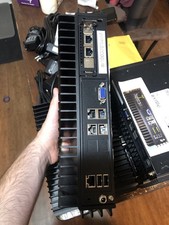
Supermicro SYS-E302-9A Fanless Firewall Atom C3558 16GB ECC 64GB SSD 6x GbE i350
$325.00

1U Edge Firewall Server X11SCW-F Xeon E-2174G 0 RAM M.2 NVME 3x PCI-e 2x PSU X
$175.00

Supermicro 5019D-4C-FN8TP Xeon D-2123IT (4C/8T) 64GB DDR4 10GbE 480GB 1U Server
$689.00

Nasuni NF-50 Supermicro Server, Atom CPU C2558, @ 2.40GHz, 8GB RAM-No HDD/OS/AC
$250.00

$280.00

