-
Cannot write to hd HELP!
I am new to knoppix and would like to write files to my HD while in knoppix, i am usind the knoppix cd. can anyone help me out? or direct me to a thread that can. Thanx.
-
Right-click on the HD-icon in the Desktop. Select 'Properties" from the popup-menu (it is the last item). In the Dialog select the tab 'Device' and uncheck the box 'Read Only'.
WARNING: Don't do this if the HD is NFTS-formatted. Linux can not handle NFTS-disks well. It can read them but cannot write to them. That's why this option is disabled by default (you don't want to destroy all your data, do you?).
With FAT-partitions this will work however.
<second thought>
This info (about NFTS) was in the help-files that came with my first Knoppix CD. That was in April 2003. Could things have changed?
</second thought>
- - Edwin
-
Senior Member
registered user

Originally Posted by
Edwin
<second thought>
This info (about NFTS) was in the help-files that came with my first Knoppix CD. That was in April 2003. Could things have changed?
</second thought>
- - Edwin
No it has not do not write to ntfs.
-
Thanx.... that helps me alot.
-
Originally Posted by
Stephen
No it has not do not write to ntfs.
Stephen,
OK, I won't. Sorry for the mix-up in acronyms. So it is NTFS and not NFTS. Sorry to the original poster as well. But I am known to confuse all these FLWA's and TLWA's ;=) Having been a sound-engineer for 14 years I still specify mail-servers with 'smpt' instead of 'smtp'.
SMPT is a time-code format (Zappa wrote a great song about it) but it does not work very well to identify a mailserver ;=)
Ah well...,
Regards,
- - Edwin
-
Senior Member
registered user
Originally Posted by
Edwin
Sorry for the mix-up in acronyms. So it is NTFS and not NFTS.
I do it all the time I'll sit there at the console and wonder why didn't that damn command work only to see I had a couple of letters backwards and yes it is ntfs (New Technology File System in MS parlance). A bit off topic but if you ever want to know what those acronyms stand for open a console and dict acronym and it will tell you, works for regular words too.
-
Originally Posted by
Stephen
A bit off topic but if you ever want to know what those acronyms stand for open a console and dict acronym and it will tell you, works for regular words too.
Well, maybe it is off topic. But it is a great tip as well. Thank you for it.
- - - Edwin
Similar Threads
-
By UDHA in forum General Support
Replies: 1
Last Post: 03-20-2005, 12:26 AM
-
By wuschel in forum General Support
Replies: 1
Last Post: 01-22-2005, 12:51 PM
-
By tendril in forum Hardware & Booting
Replies: 1
Last Post: 01-03-2005, 09:59 PM
-
By tac in forum General Support
Replies: 1
Last Post: 09-02-2004, 02:44 AM
-
By boo ya in forum General Support
Replies: 6
Last Post: 07-16-2004, 12:41 PM
 Posting Permissions
- You may not post new threads
- You may not post replies
- You may not post attachments
- You may not edit your posts
-
Forum Rules


HP ProLiant MicroServer Gen8 Tower Server Xeon E3-1220 v2 2.3GHz 16GB RAM
$289.99

POGO ATLAS 1102 Server 32 Gb RAM 4TB Storage 2x2TB HDD’s (Tested-Working) No OS
$179.85

Supermicro E300-12C Mini 1U Barebone X12SCV-LVDS LGA1200 SNK-P0073A4 w/ Adapter
$225.00

HP Proliant MicroServer Gen 8 2.23GHz Xeon 16GB RAM NO SSD
$249.99

HPE ProLiant MicroServer Gen10 Plus 32GB RAM Xeon E-2224 3.40Ghz No HDD No AC
$750.00

New Barebones Supermicro 5019D Server, 4C/8T Xeon D-2123T, 1U Rackmountable, 10G
$449.99
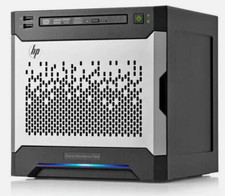
HP MicroServer Gen8 LOADED 12TB + 16GB RAM Win Server 2025 iLO Advanced SSD Boot
$679.00

Supermicro SuperServer E300-15 - SYS-e300-9C - 16GB RAM 240GB Samsung SSD
$199.99

Nasuni NF-50 Supermicro Server, Atom CPU C2558, @ 2.40GHz, 8GB RAM-No HDD/OS/AC
$250.00

1U Supermicro Firewall Router Jumpbox 6x 10GB Ethernet 3.5Ghz 32GB RAM 2x PSU X
$299.00



 Reply With Quote