

 Reply With Quote
Could you post your original XF86Config file? What are the specifications for your monitor? Vertical and Horizontal refresh rates? You should be able to get that either from the manual or at the manufacturers website.


Hi everyone
I have a monitor nec FE700+, it can do 85hz at 1024x768. and a knoppix clone called Damn Small Linux.
Can anyone tell me which file or files are responsible for refresh rate.
my system use 60 hz. I tried to use xf86config, and edit /etc/X11/XF86Config, but it doesn't work. are there any other files in which screen refresh rate can be changed
note: there is no Xf86Config-4
I'm looking forward to any suggestions from you.
Thanking you in anticipation Rivendell
Could you post your original XF86Config file? What are the specifications for your monitor? Vertical and Horizontal refresh rates? You should be able to get that either from the manual or at the manufacturers website.
This is a part of my XF86Config I removed from it font and keyboard section.
I think that this problem is caused by autoconfiguration program which doesn't recognize my video card ( Nvidia Riva 12. I installed drivers but i don't exactly know where in XF86Config write which driver to use.
# Auto-generated by mkxf86config
Section "Monitor"
Identifier "Monitor0"
VendorName "NEC"
ModelName "NEC61ba"
HorizSync 31 - 70 # DDC-probed
VertRefresh 55 - 120 # DDC-probed
# These are the DDC-probed settings reported by your monitor.
# 1152x864, 75.0Hz; hfreq=67.50, vfreq=75.00
ModeLine "1152x864" 108.00 1152 1216 1344 1600 864 865 868 900 +hsync +vsync
# 1024x768, 85.0Hz; hfreq=68.68, vfreq=85.00
ModeLine "1024x768" 94.50 1024 1072 1168 1376 768 769 772 808 +hsync +vsync
# 1024x768, 75.0Hz; hfreq=60.02, vfreq=75.03
ModeLine "1024x768" 78.75 1024 1040 1136 1312 768 769 772 800 +hsync +vsync
# 1024x768, 70.0Hz; hfreq=56.48, vfreq=70.07
ModeLine "1024x768" 75.00 1024 1048 1184 1328 768 771 777 806 -hsync -vsync
# 800x600, 85.0Hz; hfreq=53.67, vfreq=85.06
ModeLine "800x600" 56.25 800 832 896 1048 600 601 604 631 +hsync +vsync
# 800x600, 75.0Hz; hfreq=46.88, vfreq=75.00
ModeLine "800x600" 49.50 800 816 896 1056 600 601 604 625 +hsync +vsync
# 800x600, 60.0Hz; hfreq=37.88, vfreq=60.32
ModeLine "800x600" 40.00 800 840 968 1056 600 601 605 628 +hsync +vsync
# 640x480, 85.0Hz; hfreq=43.27, vfreq=85.01
ModeLine "640x480" 36.00 640 696 752 832 480 481 484 509 -hsync -vsync
# 640x480, 75.0Hz; hfreq=37.50, vfreq=75.00
ModeLine "640x480" 31.50 640 656 720 840 480 481 484 500 -hsync -vsync
# 640x480, 72.0Hz; hfreq=37.86, vfreq=72.81
ModeLine "640x480" 31.50 640 656 696 816 480 481 484 504 -hsync -vsync
# 640x480, 60.0Hz; hfreq=31.47, vfreq=59.94
ModeLine "640x480" 25.17 640 648 744 784 480 482 484 509 -hsync -vsync
EndSection
Section "Device"
Identifier "My Video Card"
VendorName "Unknown"
BoardName "Unknown"
# TextClockFreq 22.175
EndSection
Section "Device"
Identifier "fbdev"
VendorName "Unknown"
BoardName "Unknown"
Sorry I've forgot about this:
# Standard Server
Section "Screen"
Driver "svga"
Device "My Video Card"
Monitor "Monitor0"
Subsection "Display"
Modes "1024x768" "800x600" "640x480"
ViewPort 0 0
EndSubsection
EndSection
# Accel. Server(s)
Section "Screen"
Driver "accel"
Device "My Video Card"
Monitor "Monitor0"
Subsection "Display"
Modes "1024x768" "800x600" "640x480"
ViewPort 0 0
EndSubsection
EndSection
# Fallback
Section "Screen"
Driver "vga16"
Device "My Video Card"
Monitor "Monitor0"
Subsection "Display"
Modes "1024x768" "800x600" "640x480"
EndSubsection
EndSection
Usually it would be something like this:Originally Posted by Rivendell
What is it exactly that's wrong w/ your resolution?Code:# Standard Server Section "Screen" Driver "nv" Device "My Video Card" Monitor "Monitor0" Subsection "Display" Modes "1024x768" "800x600" "640x480" ViewPort 0 0 EndSubsection EndSection
 Posting Permissions


HPE ProLiant MicroServer Gen10 Plus 32GB RAM Xeon E-2224 3.40Ghz No HDD No AC
$750.00

HP ProLiant MicroServer Gen8 Tower Server Xeon E3-1220 v2 2.3GHz 16GB RAM
$289.99

HP Proliant MicroServer Gen 8 2.23GHz Xeon 16GB RAM NO SSD
$249.99

POGO ATLAS 1102 Server 32 Gb RAM 4TB Storage 2x2TB HDD’s (Tested-Working) No OS
$179.85
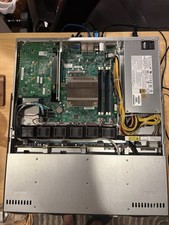
Supermicro 1U Rack Server — Xeon E3-1265L v3 / 16GB ECC DDR3 / Quad Intel GbE
$180.00

New Barebones Supermicro 5019D Server, 4C/8T Xeon D-2123T, 1U Rackmountable, 10G
$449.99

Supermicro 5019D-4C-FN8TP Xeon D-2123IT (4C/8T) 64GB DDR4 10GbE 480GB 1U Server
$689.00

Supermicro SuperServer E300-15 - SYS-e300-9C - 16GB RAM 240GB Samsung SSD
$199.99

Supermicro CSE-937 3U Storage Chassis No CPU No HDD No Ram Tested & Reset
$129.99
ASRock Rack ROMED8-2T/BCM Server Motherboard For Parts/Repair
$365.00