

 Reply With Quote
Hey the new version of KNOPPIX_V3.2-2003-07-25 is out. I will download these new version to try again.


You don't need the boot.img file to make the CD.... it's in the ISOI need the boot.img file, so that to make a bootable disk. In these case, at least I saw the prompt Boot: and "Welcome" messages.
Yes, just the ISO burnt straight to CD. You end up with a bootable CD because the ISO is an "image" of a working bootable CD in the first place.Questions: Do we need to make the disk bootable? Just the ISO file good enough, no other files needed?
Keep trying
Hey the new version of KNOPPIX_V3.2-2003-07-25 is out. I will download these new version to try again.
I had downloaded the lastest version 2003-07-25.
To check using md5sum, is this the correct way to check , which I follow the method tought by the website
c:\md5sum -c KNOPPIX_V3.2-2003-07-25-EN.iso.md5
reply:
KNOPPIX_V3.2-2003-07-25-EN.iso: ok
I think there should be no problem burning it!
Hey guys, thank for all your help. I had successful burn KNOPPIX_V3.2.
Just to summarise, how I succeed:
Use Nero software, if your Nero software started with a 'New Compliation', quit it
Then from the File-Burn Image-choose the file KNOPPIX_V3.2xxx.iso-Write
Once it is burn into the CD, the CD will contain the unzip version of the ISO file.
Hope this will help other peoples whom are unfamilar with burning KNOPPIX.
 Posting Permissions


HP ProLiant MicroServer Gen8 G1610T @2.3 GHz, 16GB, 712317-001 NO HDD/OS
$199.00

Supermicro 1U Network Server Appliance 16GB RAM 800GB SSD 6 LAN Ports Powers On
$450.00

Supermicro CSE-937 3U Storage Chassis No CPU No HDD No Ram Tested & Reset
$129.99

Nasuni NF-50 Supermicro Server, Atom CPU C2558, @ 2.40GHz, 8GB RAM-No HDD/OS/AC
$250.00

New Barebones Supermicro 5019D Server, 4C/8T Xeon D-2123T, 1U Rackmountable, 10G
$449.99

Supermicro 2U X10DRU-i 2x E5-2680 v3 2.5ghz 32gb Ram 240gb SSD 2x GPU *READ*
$369.99
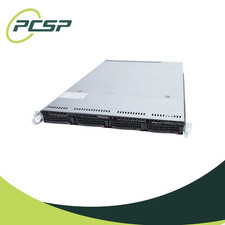
Supermicro CSE-815-5 4B LFF Xeon E3-1245v6 16GB DDR4 1x 9361-8i 4x 1TB SATA HDD
$483.99

Supermicro 5019D-4C-FN8TP Xeon D-2123IT (4C/8T) 64GB DDR4 10GbE 480GB 1U Server
$689.00

$280.00

Supermicro CSE-937 3U Storage Chassis No CPU No HDD No Ram Tested & Reset
$129.99