-
hdinstall erased wrong partition for swap
I installed Knoppix in my HD. Before the partitioning tool was run I had the following partitions:
/dev/hda1 (win1)
/dev/hda2 (linux)
/dev/hda5 (win2)
I didn't have a swap partition for the previous Linux installation since it was only for trying it out. Since I am now thinking about switching to Linux, I removed /dev/hda2 which was 5GB and created two new partitions with one of them being a swap partition of 500MB.
So in the partitioning tool, I was shown the following information:
/dev/hda1 (win)
/dev/hda2 (linux)
/dev/hda5 (swap)
/dev/hda6 (win2)
So when I clicked ok I came to a page where I was asked whether I wanted /dev/hda5 to use as a swap partition. I agreed since I thought that he would have rearranged the internal partition map. Only later I realized that there was a message after writing the partition table which was something like "The partition table was written to disk but couldn't be reloaded."
To cut it short: My old /dev/hda5 partition was taken as swap partition though the partition type is still Fat32. I cannot access my partition anymore even from within WinXP and I wonder whether all the data was lost or can I do something to get it back?
-
Senior Member
registered user
Partitions formatted under Linux ext2,3,reiser,or xfs are not visible under windows-as regular disk partitions like D,E,F,etc. However you can still check their presence by using Partition magic( and sometimes the DRDos fdisk).
Also if you boot with the knoppix cd it should show your partitons with no problems. Then there is Qt parted.
If you want the data on your old partition I think that is gone.
You did not mention if your HD install was successful?
-
Senior Member
registered user
Re: hdinstall erased wrong partition for swap

Originally Posted by
droy
So when I clicked ok I came to a page where I was asked whether I wanted /dev/hda5 to use as a swap partition. I agreed since I thought that he would have rearranged the internal partition map. Only later I realized that there was a message after writing the partition table which was something like "The partition table was written to disk but couldn't be reloaded."
Also included in the warning was a line telling you to re-boot for the changes to take effect which you obviously did not do therefore it over wrote the existing partition that was read from the old table still loaded.
Similar Threads
-
By yonatan in forum Hardware & Booting
Replies: 9
Last Post: 02-17-2005, 02:00 AM
-
By ZeroKun in forum Hdd Install / Debian / Apt
Replies: 6
Last Post: 05-07-2004, 06:44 PM
-
By bob58 in forum Hdd Install / Debian / Apt
Replies: 6
Last Post: 03-19-2004, 11:31 PM
-
By metavoid in forum General Support
Replies: 7
Last Post: 02-20-2004, 04:40 PM
-
By Sucker in forum General Support
Replies: 3
Last Post: 01-29-2003, 11:32 AM
 Posting Permissions
- You may not post new threads
- You may not post replies
- You may not post attachments
- You may not edit your posts
-
Forum Rules

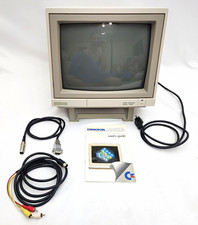
Commodore 1902A Color CRT Monitor C64 C128 Original Box Manual Cables Powers On
$290.00

Commodore OS USB | Bootable LIVE + Install | The Ultimate Gaming Linux OS | NEW
$11.99
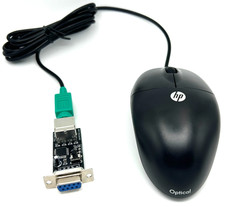
Commodore 64 1351 Compatible Optical Mouse with Adapter (Geos etc) - USA Seller
$29.99

Pi1541 Zero with Epyx Fastload Hat, Case & 16gb SD for Commodore 64 and 128
$79.99

Commodore 64 Serial Cable 6PIN DIN 1541 1571 C64 128 C128 Disk Drive Printer USA
$10.49
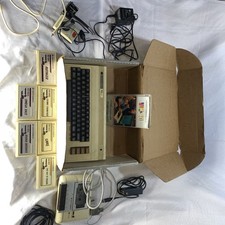
Commodore VIC-20 Computer In Original Box (As-Is) Joystick, Tape Player, Games
$179.99
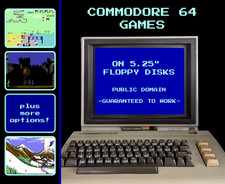
🕹️ Commodore 64 Games on Floppy Disks: Retro Public Domain C64 🕹️
$8.95

Commodore Amiga 500 Vintage Computer A500 No Power Supply
$249.95

Commodore 64 Dead Test & Diagnostic Cartridge & Test Harness Set - USA seller
$39.99

Commodore 1541 Emulator Complete incl PI Zero & 2GB SD CARD, OLED, USA Seller
$59.99



 Reply With Quote