View Poll Results: Did this procedure work for you?
- Voters
- 42. You may not vote on this poll
-
Senior Member
registered user
To turn on this feature, go to: Knoppix > Services > Start Knoppix Terminal Server. This will install DHCP, TFTP, and NFS servers for you and configure them according to settings that you will be prompted for. These include network card settings (if it's not already set up), DHCP IP ranges, client side NIC drivers to support, whether to deny remote root access, IP masquerading, DNS caching, proxy servers, and command line options to be sent to the clients when they remote boot Knoppix.
j.drake: As usual, you're right on the money! This is exactly what I was trying to do. However, I was also trying to get into a fully hdinstalled lab. Unfortunately, when hdinstalled, you loose the knoppix scripts that enable these terminal services.
Although, it is tempting to use this instead of a lab full of poor man's dual boots! I could just leave one PC booted as poor man's or via live CD, leave terminal services running and then just have the students use PXE to boot-up their local machines. All you'd need is one CD in any PC on the LAN and you've got a knoppix network! My kids could still use ftp to save their work on one hdinstalled server. Just one CD and one hdinstall and 25 students need 0 disks! And to upgrade to a new knoppix lab, just burn one new CD. This definitely has potential! If I had known this earlier this school year when I was setting up my new lab, I wouldn't have done 25 poor man installs, not to mention all the knoppix-installers I'm in the process of doing....
MMM, sounds yummy!
BTW, does ClusterKnoppix do this by default?
Regards,
Similar Threads
-
By mkyb14 in forum Hdd Install / Debian / Apt
Replies: 19
Last Post: 12-08-2004, 06:06 PM
-
By ishtvan22 in forum Hdd Install / Debian / Apt
Replies: 1
Last Post: 09-25-2004, 04:11 AM
-
By jimbo62 in forum MS Windows & New to Linux
Replies: 4
Last Post: 08-09-2004, 04:22 PM
-
By Termina in forum Hdd Install / Debian / Apt
Replies: 1
Last Post: 01-09-2004, 08:15 AM
-
By A. Jorge Garcia in forum General Support
Replies: 18
Last Post: 10-02-2003, 09:41 PM
 Posting Permissions
- You may not post new threads
- You may not post replies
- You may not post attachments
- You may not edit your posts
-
Forum Rules


SFP TO RJ45 TRANSCEIVER SFP MODULE COPPER SFP OPTICAL PORT TO RJ45 ETHERNET PORT
$7.99

Intel SPTSLP2SLCDE 100G-DR1 QSFP28 500m 1311nm Transceivers - Lot of 10 - New
$200.00

Dell Intel X710-DA2 5N7Y5 Dual-Port 10GbE SFP+ PCIe 3.0 x8 Network Adapter
$27.50

NEW Sealed Cisco SFP-10G-LR 10GBASE-LR SFP+ 1310nm 10km *US Shipping*
$24.00

Genuine Cisco SFP-10G-SR 0-2415-03 10 Gigabit Transceiver
$5.40

HP 560SFP+ 10GB 2-port PCIe NIC Ethernet ADAPTER 669279-001 w/ (2) 10GB SFP+
$16.99
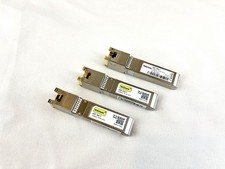
10Gtek ASF-10G-T 10GBase-T SFP+ to RJ45 Copper Transceiver Module
$19.98

Intel X520-DA2 10Gb 10Gbe 10 Gigabit Network Adapter NIC Dual Port E10G42BTDA
$28.94

New Sealed Cisco GLC-LH-SMD 1000BASE-LX/LH SFP Transceiver Module *US
$17.00

Cisco WS-C3650-12X48UR-L 48-Port Stackable Layer 3 8x10G SFP+ Port Switch
$129.99



 Reply With Quote