-
knoppix create system recovery CDs?
I'm not sure if this is possible now, but can you use knoppix to burn a series of CDs to aid in system recovery? The first CD burned would be made bootable and you would keep feeding it CD's until everything on your hard drive was backed up. To restore, boot off of the initial Cd and load in the recovery CDs in sequence. Would this work with part-image and be OS - neutral?
Doug
-
Senior Member
registered user
Re: knoppix create system recovery CDs?

Originally Posted by
dnewcomb
I'm not sure if this is possible now, but can you use knoppix to burn a series of CDs to aid in system recovery? The first CD burned would be made bootable and you would keep feeding it CD's until everything on your hard drive was backed up. To restore, boot off of the initial Cd and load in the recovery CDs in sequence. Would this work with part-image and be OS - neutral?
Doug
This one of the main ideas behind knoppix already from the FAQ General.
Code:
Q: What exactly is Knoppix?


A: KNOPPIX is a bootable CD with a collection of GNU/Linux software, automatic hardware detection, and support for many graphics cards, sound cards, SCSI and USB devices and other peripherals. KNOPPIX can be used as a Linux demo, educational CD, rescue system, or adapted and used as a platform for commercial software product demos. It is not necessary to install anything on a hard disk. Due to on-the-fly decompression, the CD can have up to 2 GB of executable software installed on it.
-
Stephen,
I guess I was not clear in my previous post. I'm looking for the functionality of Mondo Rescue ( http://www.microwerks.net/~hugo/ ) under Knoppix to create a restore set of CDs.
I was under the impression that partimage would not span a series of CDs.
Doug
-
-
Senior Member
registered user
Originally Posted by
dnewcomb
Stephen,
I guess I was not clear in my previous post. I'm looking for the functionality of Mondo Rescue (
http://www.microwerks.net/~hugo/ ) under Knoppix to create a restore set of CDs.
I was under the impression that partimage would not span a series of CDs.
Doug
Doug,
Mondo is on the CD so you should be able to go ahead with your idea. I'm not sure about the CD spanning limitation of partimage - you'd have to check their website.
-
Thanks for the tip! I found it and will be giving it a workout.
Doug :D
-
Originally Posted by
aay
Mondo is on the CD so you should be able to go ahead with your idea. I'm not sure about the CD spanning limitation of partimage - you'd have to check their website.
Originally Posted by
dnewcomb
Thanks for the tip! I found it and will be giving it a workout.
Has anyone had any success using Mondo in Knoppix? When I've tried it, mondoarchive aborts with the message "I think I'm running from a ramdrive, please don't run mondoarchive".
I'm running a dual-boot portable (of course, only one CD drive) and would love to be able to create a backup image on a regular basis.
I attempted to find a solution on the Mondo forums and mailing list. Apparently there is an easy solution, if you're a programmer. Conversations over there indicate that, by removing two lines of code and re-compiling, the abort can be bypassed. For us mere mortals, this option isn't available as Hugo (Mondo's author) will not allow any further detail to be posted on this topic.
In addition, Mondo's authors have a hacked version of partimage that will allow NTFS partitions to be compressed.
Klaus, would you consider including a modified-to-run-from-ramdrive version of Mondo 1.7x (with their partimagehack) on your next release? With the 'toram' option, we could then eject the CD and image /dev/hda to CDR.
Regards,
 SideWynder
-
The mondoarchive software disables itself when running from a ramdrive. From what I understand, the authors have no wish to be sued for aiding in copyright violations. You can alter the source code to work around the limitation, which would involve making a custom version of Knoppix.
dnewcomb
Similar Threads
-
By Ryan450 in forum Customising & Remastering
Replies: 2
Last Post: 03-08-2005, 04:09 AM
-
By Lenny in forum General Support
Replies: 4
Last Post: 03-08-2005, 12:03 AM
-
By cohyster in forum General Support
Replies: 0
Last Post: 01-03-2005, 06:01 PM
-
Replies: 5
Last Post: 03-07-2004, 10:27 PM
-
By willowwillow in forum Hdd Install / Debian / Apt
Replies: 2
Last Post: 10-26-2003, 01:34 PM
 Posting Permissions
- You may not post new threads
- You may not post replies
- You may not post attachments
- You may not edit your posts
-
Forum Rules

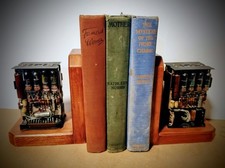
One Of A Kind Homemade Vintage Mainframe Computer, Logic Module Wood Bookends
$149.00

Vintage Telex 952003-112 Mechanical Terminal Keyboard IBM 3270 Mainframe DB25
$594.99

HP 5060-8359 8K Semiconductor Memory Module 5080-9747 Vintage HP Computer
$224.72

HP 13210-60001 Disc Drive Interface PCB HP 7900A 7901A Vintage
$225.61

4x Various Brands 8.5" Mainframe 9-Track Reel Computer Data Tape 6250 CPI .5"
$24.99
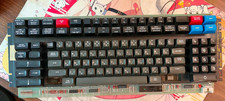
Vintage Japanese Katakana Double Shot Sperry Univac UTS 4000 Keyboard 1981
$199.99
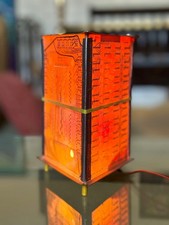
Vintage UNIVAC Mainframe Circuit Board Lamp - Cyberpunk Tech Geek Industrial Art
$225.00
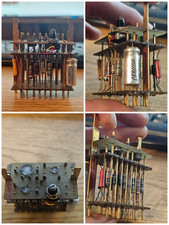
Rare Vintage Mainframe Burroughs Discrete-Transistor Cordwood Module B2500 B5000
$94.95
Adjustable Rolling Computer Cart, Mobile Standing Workstation, Mobile Cart
$211.28

Vintage Intel Mainframe Server MCM CPU Substrate Lot Prototyping PGA Validation
$500.00



 Reply With Quote