

 Reply With Quote
--You need to adjust the actual controls on your monitor to stretch the image.
Originally Posted by sanjay


I have installed knoppix 3.2 6-6-2003 version on my hard disk. I have a 19" monitor and my knoppix display occupies only part of it. And the rest is just black. I get the whole display properly except that it is not occupying my monitor's viewable area. It happens only on X display. When I ctrl+Alt+F1/2/3... it is fine. I get the whole screen. How can I tell the X-server that I have a 19" display and not a smaller one as it thinks? Is there any setting that I need to change??
Thanks in advance,
Sanjay.
--You need to adjust the actual controls on your monitor to stretch the image.
 Posting Permissions

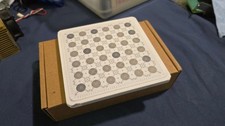
IBM Prototype ES/9000 Mainframe Computer MCM CPU Vintage White Ceramic Gold
$1000.00
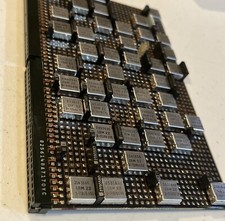
IBM MST-2 370 Integrated Circuit Computer Chips Lot Of 43 Rare 1970s Vintage
$249.00

Vintage Telex 952003-112 Mechanical Terminal Keyboard IBM 3270 Mainframe DB25
$679.15

HP 5060-8359 8K Semiconductor Memory Module 5080-9747 Vintage HP Computer
$165.58
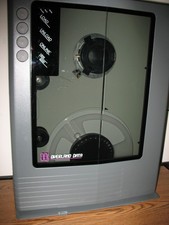
VINTAGE RARE Overland 9 Track tape drive for mainframe computer storage
$800.00

Vtg IBM Mainframe Prototype Chip Module Lot 146 pc 1988-1993 ES/9000 Lab Arcive
$649.00
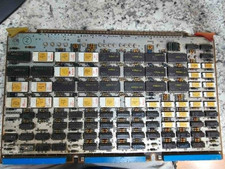
Vintage Sperry Rand Univac Mainframe Control Board Gold IC Rare Piece Of History
$289.95

Vintage IBM #192726 Paper Tape Punch Mainframe Computer Programming Tool 1960s
$94.95
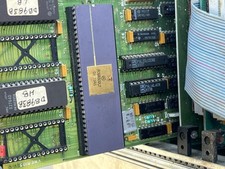
Mystery Vintage Computer Mizar Motorola 68000 Based System W Shugart Drives
$500.00

Vintage 1992 IBM 3476 InfoWindow Display Terminal CRT Monitor w/ Key & Y-Cable
$150.00