

 Reply With Quote
Try this:
boot: knoppix lang=us xmodule=i810
You may need to add a screen size too.


I'm on an HP that is using intels 82810 graphics card... I was able to get x up and running once... in 640x480, but since then no luck! The screen just flickers... Any suggestions?
Try this:
boot: knoppix lang=us xmodule=i810
You may need to add a screen size too.
I tried the following:
knoppix lang=us xmodule=i810 screen=1024x768
with no success...
however...I can hear the startup sound (voice)...but can't see a thing...
There is an error right before x attemps to start, but the screen changes too quickly...is there a way to pause?
Also, is it normal to get the message "You passed an undefined mode number." right at the begining?
Thanks
No it is not try adding the cheat code vga=normal and maybe noddc.Originally Posted by jclochesy
I tried adding the vga=normal noddc, but it still behaved the same... The "You passed an undefined mode number" shows up even before uncompressing starts! It wants me to hit 'enter' or 'space'... 'enter' brings up a list of what looks like resolutions? I have no idea.
Also...is there a way to pause the screen so that I can read the message that appears later... when entering run level 5?
You could try knoppix-txt then when you get to the prompt then /etc/init.d/xsession start you may have to put sudo in front of the command it's been awhile so I can't be certain. Other than that have you tried to actually pass one of the numbers when it asks you too and see what happens with booting that way. You may also want to try as many of the cheat codes as possible and for sure just failsafe all alone on the command line to boot with minimal hardware detection.
I had a similar problem. I was trying to run Knoppix in failsafe. After a certain point the monitor kept going from "Power saving will be enabled" to a black screen, and back every split second. This repeated forever even when the system showed no sign of activity. Unfortunatly unless you are trying to run in failsafe I can not help you. The problem I had was a multiprocessor problem, which knoppix nosmp fixed. This was on a standard VGA monitor though.
 Posting Permissions


SFP TO RJ45 TRANSCEIVER SFP MODULE COPPER SFP OPTICAL PORT TO RJ45 ETHERNET PORT
$7.99

NEW Sealed Cisco SFP-10G-LR 10GBASE-LR SFP+ 1310nm 10km *US Shipping*
$24.00
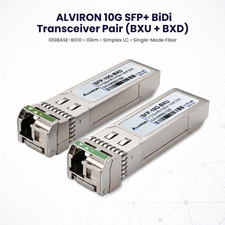
2‑Pack SFP+ 10G BiDi BX‑U/BX‑D 1270/1330nm 10km | Cisco Compatible | ALVIRON
$48.99

Intel SPTSLP2SLCDE 100G-DR1 QSFP28 500m 1311nm Transceivers - Lot of 10 - New
$200.00

Genuine Cisco SFP-10G-SR 0-2415-03 10 Gigabit Transceiver
$5.40

HP 560SFP+ 10GB 2-port PCIe NIC Ethernet ADAPTER 669279-001 w/ (2) 10GB SFP+
$16.99

Intel X520-DA2 10Gb 10Gbe 10 Gigabit Network Adapter NIC Dual Port E10G42BTDA
$28.94

New Sealed Cisco GLC-LH-SMD 1000BASE-LX/LH SFP Transceiver Module *US
$17.00

Cisco QSFP-40G-SR-BD Module 10-2945-02 NEW CLAMSHELL
$45.50

Cisco Acacia DP04QSDD-E25-840 400G QSFP-DD Coherent DCO Transceiver Module
$699.99