

 Reply With Quote
All I do for ext2,3 and riserfs is to get root and say mount /dev/hdax
I know its already mounted read only but I dont remount or anything and that works fine for me.


I have a Debian system with a ext2 fs that has a VERY bad xwindows display.
Knoppix on the other hand has a perfect xwindows display.
I wanted to copy my config-4 file to the debian partition and merge some of it into my conifg-4 file.
I right clicked on the partition and did a 'change read/write mode' but still cannot write to that partition!
This is driving me crazy because it works perfectly on fat32 drives and you would think that it would work on ext2 on a debian system of all things!!!
Please help
James Ray Kenney
All I do for ext2,3 and riserfs is to get root and say mount /dev/hdax
I know its already mounted read only but I dont remount or anything and that works fine for me.
I have never had a problem mounting the partition r/w from the command line also perhaps you should try that method as Tech2k suggests above to add one more thing if all else fails and you can't mount the partition for some strange reason then copy the Knoppix XF86Config-4 file to a floppy and then boot your normal install and get the file from the disk.
I did a mount /dev/hda1 and it said that is was already mounted.Originally Posted by Tech2k
So I did a umount /dev/hda1 and then a mount /dev/hda1
tried to create a file in /etc and was told that access was denied.
try
knoppix single (at boot time)
startx
now you are rootand everything is easy for roots

Mabey try "umount /dev/hdax" first or for ext2 try
"mount -t ext2 -o remount,rw /dev/hdax /mnt/hdax"
like I said..as root i just say mount /dev/hdax and its fine here.All my partitions are primary mabey if your is logical that makes a differiance?Just a guess.
 Posting Permissions

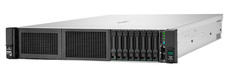
HPE DL385 Gen10 Plus 2x EPYC 7513 1024GB DDR4 RAM 6x 6.4TB 2x 800G SAS 100G RAID
$54229.00

HP ProLiant MicroServer Gen8 G1610T @2.3 GHz, 16GB, 712317-001 NO HDD/OS
$199.00

Supermicro 1U Network Server Appliance 16GB RAM 800GB SSD 6 LAN Ports Powers On
$450.00

Supermicro CSE-937 3U Storage Chassis No CPU No HDD No Ram Tested & Reset
$129.99

New Barebones Supermicro 5019D Server, 4C/8T Xeon D-2123T, 1U Rackmountable, 10G
$449.99

Supermicro 2U X10DRU-i 2x E5-2680 v3 2.5ghz 32gb Ram 240gb SSD 2x GPU *READ*
$369.99

Supermicro 5019D-4C-FN8TP Xeon D-2123IT (4C/8T) 64GB DDR4 10GbE 480GB 1U Server
$689.00

Supermicro 1027GR-TSF 1U Rackmount Server 2x Xeon 2.3GHz 128GB DDR3
$219.99

Nasuni NF-50 Supermicro Server, Atom CPU C2558, @ 2.40GHz, 8GB RAM-No HDD/OS/AC
$250.00

$280.00