-
Senior Member
registered user

Originally Posted by
RockMumbles
I have problems at school which I attribute to our win2k dhcp server, with both remote-X logins and PXE booting. In our teaching computer lab (about 25 machines) where we have a single network connection to the entire lab, I would put a linux firewall (freesco) between the lan connection and our main switch, freesco would then be the dhcp server for the lab, and both linux and windows would be able to work. At home behind a freesco firewall as the dhcp server, I've had no problems running clusterknoppix and PXE booting or with remote-X logins, but at school I can't get the PXE boot disks to work at all, and the remote-X logins are sporadic, sometimes it works, sometimes it doesn't.
~rock
Rock, I don't think this is off topic at all. I couldn't set-up PXE in my lab of 25 PCs at my school due to, I am assuming, a dhcp conflict. I thought that I could still use X -query instead, I guess not! OK, I'm going to have to set-up a firewall as you did. Will this adversely affect other classes using that lab in wimpdoze? Are there any dox you could recommend for me to try this out?
BTW, are you a teacher using knoppix in class too? Just curious.
In answer to your other question, my school went whole-hog into WIMxP over the summer. So I suppose they use a WIMxP DHCP server. I'm not sure as the tech guys over at my school already think I'm "that Linux nut." So I leave their wimpdoze partitions alone and they leave my knoppix partitions alone....
TIA,
-
Senior Member
registered user
Thank you, thank you, thank you, gentlemen! Finally, I got this mess to work. I did as Doug suggested. I think that after all the mods I made on the clients and server hdds, I must have screwed-up xhost.
Steps that worked:
(1)Server: I installed my server with knoppix-installer as Debian, addusers, and made all the server modifications listed in the links above. I then ran xhost +eachclientip but I found that adding the ips to /etc/hosts on the server works best!
(2)Client: Then I have my clients boot the knoppix cd with the boot string: knoppix 2. Then my clients run X -broadcast (I did not need :1) or X -query 10.10.2.5. And all is finally as it should be in the Land of Linux!
Minor problems left to resolve:
(1)Client: What I need to do is have my knoppix-installer as knoppix clients boot up to runlevel 2 so I don't need to burn so many cds....
(2)Server: The clients and the server resolution are both 800x600 only. If I boot the CD with the boot string: vga=normal screen=1024x768 xvrefresh=60 which used to work, I get a video modes on server and client mismatch error. I need to figure out how to get my i810 intel video onboard chip to give me its other mode, namely 1024x768 on the server. I got this res on the clients (when using ssh and fish instead of X -query) by booting a CD with the given boot string and copying the XF86Config-4 file from the ramdisk to my hdinstall. However, this only worked on knoppix-installer as knoppix, not knoppix-installer as debian. I had to knoppix-installer as debian my server to addusers and get the login window for my users....
Thanx,
Similar Threads
-
By wen in forum Customising & Remastering
Replies: 0
Last Post: 10-10-2004, 03:18 AM
-
By kayl in forum Customising & Remastering
Replies: 12
Last Post: 03-13-2004, 05:23 AM
-
By A. Jorge Garcia in forum Networking
Replies: 0
Last Post: 12-16-2003, 12:50 AM
-
By A. Jorge Garcia in forum General Support
Replies: 21
Last Post: 12-14-2003, 12:41 AM
-
By hugge in forum Hardware & Booting
Replies: 11
Last Post: 04-02-2003, 04:12 PM
 Posting Permissions
- You may not post new threads
- You may not post replies
- You may not post attachments
- You may not edit your posts
-
Forum Rules


Supermicro E200-8D Barebones Server Chassis Xeon D-1528 X10SDV-6C-TLN4F 2x10GbE
$445.00

HP ProLiant MicroServer Gen8 G1610T @2.3 GHz, 16GB, 712317-001 NO HDD/OS
$199.00

Nasuni NF-50 Supermicro Server, Atom CPU C2558, @ 2.40GHz, 8GB RAM-No HDD/OS/AC
$250.00

Supermicro CSE-937 3U Storage Chassis No CPU No HDD No Ram Tested & Reset
$129.99

Supermicro 2U X10DRU-i 2x E5-2680 v3 2.5ghz 32gb Ram 240gb SSD 2x GPU *READ*
$369.99

New Barebones Supermicro 5019D Server, 4C/8T Xeon D-2123T, 1U Rackmountable, 10G
$449.99
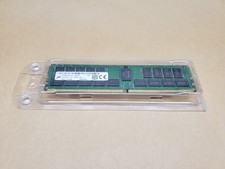
32GB Micron MTA36ASF4G72PZ-3G2E2UI PC4-3200AA-RB2-12 DDR4 Server Memory | Tested
$435.00

HP Proliant MicroServer HSTNS-5151 AMD Turion II Neo N40L CPU @ 1.50GHz 16Gb RAM
$174.99

Supermicro 1U Network Server Appliance 16GB RAM 800GB SSD 6 LAN Ports Powers On
$450.00

Supermicro 505-2 Server
$280.00



 Reply With Quote