

 Reply With Quote
you cannot abort the knoppix cd boot loader. Once it boots, the bios has already decided that it's booting from cd. You just have to remove the cd and press ctrl+alt+delete

Sorry but I'm a real noob and my english isn't very good...
I just want to know how to boot a installed DOS-Filesystem from the Knoppix Boot Menu, which appears after inserting the CD and booting from it!
Is there a special command or something else???
BTW: I don't want to use a floppy to boot knoppix or dos, i just want to know if i can "abort" the knoppix loader for booting DOS.
THX a lot...

you cannot abort the knoppix cd boot loader. Once it boots, the bios has already decided that it's booting from cd. You just have to remove the cd and press ctrl+alt+delete
Well, i think i have to tell you about my project...
I made a bootable dos cd from which you can start partition magic or something else...
It's a little bit like the boot menu of the Windows 98 CD...
But now i also want to have a linux rescue system on this CD.
And Knoppix matches very well, I think!
But i dont to know if it's possible to choose with a bootloader between booting DOS or Knoppix...
I hope you understand this bad english...
you may be able to add an entry to knoppix that boots your dos. The file is called syslinux.cfg and is inside the boot.img. Look on http://syslinux.zytor.com/ for information about syslinux ( which is what knoppix's boot loader is )
looks like it can : http://syslinux.zytor.com/faq.php#otherOS
Thx a lot...
I will try as soon as I can...

--Your English is fine, so far. I think that if you:
o Configure your syslinux on the bootable cdrom with the info from the knoppix boot-en.img
o Make a directory in your bootable image called \knoppix, and copy the cdrom's knoppix\knoppix file to it (695,569K as of 2003-0101) - this size may vary; and if you have PartitionMagic also in the same boot image, the whole idea may not fit...
--it *might* work. Try it on a 700MB CDRW 1st so you don't coaster a CDR. Perhaps you might just be better off with 2 recovery CD's, since Knoppix is already self-contained - and then you can add more Dos/Win utilities to your bootable CD-image.
--You can also see ' man lilo ' for info on making a boot floppy, then DD the floppy to a file on disk; then you can use mkisofs to create a bootable ISO image of the Lilo disk and burn it to CDR, thus negating the use of your floppy drive once more.
Originally Posted by Patrick_Mueller
--Here's an article on the subject that I haven't tested yet:
http://www.linuxgazette.com/issue85/sipos.html
also you may want to check out freedos, which has a bootable cd version : http://www.freedos.org/
 Posting Permissions


New Barebones Supermicro 5019D Server, 4C/8T Xeon D-2123T, 1U Rackmountable, 10G
$449.99

HP Proliant MicroServer Gen 8 2.23GHz Xeon 16GB RAM NO SSD
$249.99

$280.00

Supermicro CSE-937 3U Storage Chassis No CPU No HDD No Ram Tested & Reset
$129.99
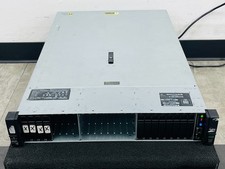
HP ProLiant DL385 Gen10 Plus V2 2U Server 2x 2.5" 2x EPYC 7601 2.2GHz 2x M.2 1TB
$3500.00
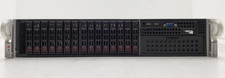
Supermicro 2028R-C1R 2U Rack Server 2x Xeon E5-2620 v3 32GB DDR4 RAM No HDD.
$429.99

Supermicro SuperServer E300-15 - SYS-e300-9C - 16GB RAM 240GB Samsung SSD
$239.00

SuperMicro 4U CSE 847 36 Bay LFF Barebone 2x 1280W w/ 2x Bays 2.5 Rear w/Trays
$499.99

Supermicro E300-12C Mini 1U Barebone X12SCV-LVDS LGA1200 SNK-P0073A4 w/ Adapter
$225.00

Nasuni NF-50 Supermicro Server, Atom CPU C2558, @ 2.40GHz, 8GB RAM-No HDD/OS/AC
$250.00