

 Reply With Quote
Try either floppyconf or floppyconfig for the cheat code.Originally Posted by TomF


I added a Save Configuration button to the panel, clicked it to open the save configuration dialog, saved the configuration to floppy, shut down, booted knoppix myconfig=/mnt/auto/floppy. Knoppix booted without errors, but the change to the panel was gone. What might have happened?
Try either floppyconf or floppyconfig for the cheat code.
I tried scan, floppyconfig, and floppyconf. None worked. I think that the problem is the version of Knoppix that came with knoppix-std-0.1b. The boot message says Version 2.78.
Should I try downloading the latest version of Knoppix, or is there a way to get save configuration working on the version I have? I need the std tools.
 Posting Permissions

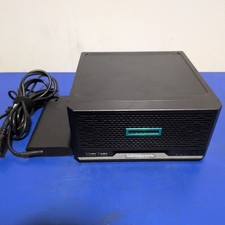
HPE ProLiant MicroServer Gen10 Plus with Power Adapter
$600.00

HP ProLiant MicroServer Gen8 Tower Server Xeon E3-1220 v2 2.3GHz 16GB RAM
$289.99

HP Proliant MicroServer Gen 8 2.23GHz Xeon 16GB RAM NO SSD
$249.99

Supermicro E300-12C Mini 1U Barebone X12SCV-LVDS LGA1200 SNK-P0073A4 w/ Adapter
$225.00

Supermicro 5019D-4C-FN8TP Xeon D-2123IT (4C/8T) 64GB DDR4 10GbE 480GB 1U Server
$649.00

New Barebones Supermicro 5019D Server, 4C/8T Xeon D-2123T, 1U Rackmountable, 10G
$449.99
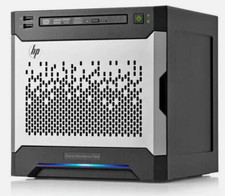
HP MicroServer Gen8 LOADED 12TB + 16GB RAM Win Server 2025 iLO Advanced SSD Boot
$679.00
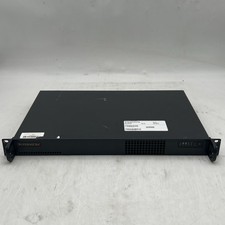
Supermicro 510-2 U1 Rack Mount 3.30GHz 4-Core 4GB RAM No Drive No OS
$179.99

Supermicro CSE-937 3U Storage Chassis No CPU No HDD No Ram Tested & Reset
$129.99

Supermicro 938-16 16-LFF MicroCloud SuperServer 5038MR-H8TRF *No Blade Servers*
$159.99