

 Reply With Quote
Try either floppyconf or floppyconfig for the cheat code.Originally Posted by TomF


I added a Save Configuration button to the panel, clicked it to open the save configuration dialog, saved the configuration to floppy, shut down, booted knoppix myconfig=/mnt/auto/floppy. Knoppix booted without errors, but the change to the panel was gone. What might have happened?
Try either floppyconf or floppyconfig for the cheat code.
I tried scan, floppyconfig, and floppyconf. None worked. I think that the problem is the version of Knoppix that came with knoppix-std-0.1b. The boot message says Version 2.78.
Should I try downloading the latest version of Knoppix, or is there a way to get save configuration working on the version I have? I need the std tools.
 Posting Permissions


Original Vintage Old Style STANDARD Black CD Jewel Case (Heavy Duty) 90g Lot
$316.95

Vintage GTE XT300 Action Station Terminal 1984 - Tested Works Orig. Box & Foam
$889.00

Vintage Tandy Computer Varsity Scripsit Word Processing 3.5 & 5.25 Disks SEALED
$29.95
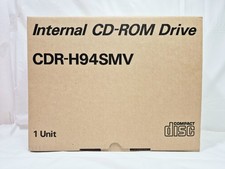
Vintage Sanyo CDR-H94SMV Internal SCSI CD-ROM Drive. 1994 NIB
$70.00
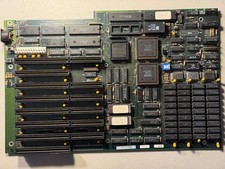
Vintage Everex EV1812 Intel 80286-10 640K Motherboard - Works
$160.00
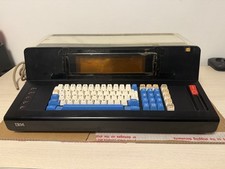
Rare Vintage IBM 3604 Model 2 Keyboard Display Terminal, Beam-Spring, Blue Caps
$1749.00
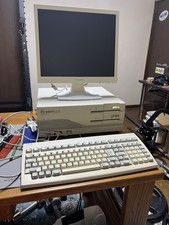
NEC PC-9801 DX2 Desktop Vintage Retro Computer Japanese JDM Fully Working Japan
$749.00
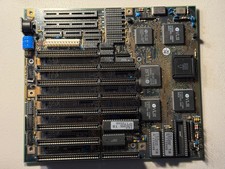
Vintage Siemens 286-16 Motherboard - Works
$140.00
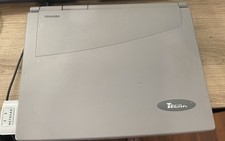
Vintage Toshiba Tecra 780CDM Laptop Computer Windows 98 & WiFi Adapter
$170.00
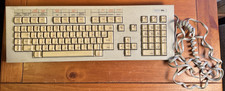
Vintage Super Rare Exxon Office Supplies Keyboard Mechanical Untested* 1980-85
$499.99