

 Reply With Quote
Knoppix:Originally Posted by mikekgr
K, System, "Share Desktop" or similar ... In german its "Arbeitsfläche freigeben"
ready!
On MS Box, point your viewer to the ip of the knoppix box ...
cu
Fabian


Dear Sirs,
I found very interesting the "vnc way" to connect (using local network) a knoppix box with a m$ box.
Bacause I am not very experienced on subject, is it possible for someone to guide me in a step by step manner and using as much details as necessary to be able to do that???
Please include the steps that required to configure my m$ box (as VNC viewer) and knoppix box (as VNC Server).
For your info the required programs (RealVNC Viewer + RealVNC Server) it is already installed at m$ box and my knoppix box but not configured yet.
Thanks a lot for your time and your help.
Best Regards
Mike Kranidis
Knoppix:
K, System, "Share Desktop" or similar ... In german its "Arbeitsfläche freigeben"
ready!
On MS Box, point your viewer to the ip of the knoppix box ...
cu
Fabian
Dear Fabianx,
thanks a lot for your reply. Seems very easy!!!
I will tried tomorrow.
Best Regards
Mike Kranidis.
--If sharing the KDE desktop doesn't work:
' jstar ~/.vncrc '
' mkdir ~/.vnc 'Code:$vncStartup = "~/.vnc/XSession";
' jstar ~/.vnc/XSession '
' chmod +x ~/.vnc/XSession ' == Make sure it's executableCode:#!/bin/sh # # Based on /etc/X11/Xsession # # global Xsession file -- used by display managers and xinit (startx) # initialize variables for use by all session scripts OPTIONFILE=/etc/X11/Xsession.options SYSMODMAP=/etc/X11/Xmodmap USRMODMAP=$HOME/.Xmodmap SYSRESOURCES=/etc/X11/Xresources USRRESOURCES=$HOME/.Xresources SYSSESSIONDIR=/etc/X11/Xsession.d STARTUP=$HOME/.xsession ALTSTARTUP=$HOME/.Xsession ERRFILE=$HOME/.xsession-errors xrdb $HOME/.Xresources xsetroot -solid grey # XXX You can also use ' xloadimage ' to load pics instead #xterm -geometry 80x24+10+10 -ls -title "$VNCDESKTOP Desktop" & #twm & #icewm & #/opt/gnome/bin/sawfish & ##/usr/bin/sawfish & xset s off rxvt -geometry 80x34+10+10 -ls -title "$VNCDESKTOP Desktop" & # XXX load desired windowmanager here /usr/bin/sawfish & # Note: See ~/.xsession for which window manager to load!
--You need to set a one-time password:
' vncpasswd '
--Now, to start the X window session on the Linux side:
' vncserver :2 -geometry 900x700 ' == Or whatever size you want
# Connect using vncviewer linuxbox:5902 - OR - http://linuxbox:5802
#vncserver -kill :2 == To bring VNC down
# IF ssh -2 -C -L 5992:linuxbox:5902 linuxbox
# THEN vncviewer localhost:5992
--In my experience you will get much better response when using a compressed ssh session as indicated above. Also dink around with the VNCviewer options on the windows side - different encodings can give faster displays. I've gotten good results over compressed ssh with RRE encoding and restricting pixels to 8-bit, even when running over 100Mb Ethernet. You can gauge the response by window-shading (in Sawfish, double click on a window titlebar and it rolls up like a window shade) and then unshading the window, and seeing how long it takes for the display to resolve itself. Using a slow encoding can take several seconds!
--A couple of notes:
o DO NOT run vncserver as root! Always run as a less-privileged user, for security and safety reasons.
o By starting vncserver as :2, you have room for an extra X-session locally on the Linux box (default is :0, and if you want you can still startx -- :1 as another user.)
--Where to get "putty", an SSH client for Windows:
http://www.chiark.greenend.org.uk/~sgtatham/putty/
! Edit 2003.1002 Added some comments for xloadimage and how to load WM
Dear Dave_Bechtel,
thanks a lot for your time to write this very detailed answer to me.
I will try this after 5 or so hours (when home) and if a hit to a problem I will post again.
Again thank you and appreciate your great help.
Best Regards
Mike Kranidis
Dear Dave_Bechtel,
your receipt is 100% working solution for me.
Many many thanks for your help
Best Regards
Mike Kranidis
--Thanks, that made my day!
 Posting Permissions


HP ProLiant MicroServer Gen8 Tower Server Xeon E3-1220 v2 2.3GHz 16GB RAM
$289.99

POGO ATLAS 1102 Server 32 Gb RAM 4TB Storage 2x2TB HDD’s (Tested-Working) No OS
$179.85

Supermicro E300-12C Mini 1U Barebone X12SCV-LVDS LGA1200 SNK-P0073A4 w/ Adapter
$225.00

HP Proliant MicroServer Gen 8 2.23GHz Xeon 16GB RAM NO SSD
$249.99

HPE ProLiant MicroServer Gen10 Plus 32GB RAM Xeon E-2224 3.40Ghz No HDD No AC
$750.00

New Barebones Supermicro 5019D Server, 4C/8T Xeon D-2123T, 1U Rackmountable, 10G
$449.99
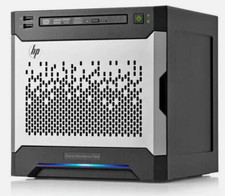
HP MicroServer Gen8 LOADED 12TB + 16GB RAM Win Server 2025 iLO Advanced SSD Boot
$679.00

Supermicro SuperServer E300-15 - SYS-e300-9C - 16GB RAM 240GB Samsung SSD
$199.99

Nasuni NF-50 Supermicro Server, Atom CPU C2558, @ 2.40GHz, 8GB RAM-No HDD/OS/AC
$250.00

1U Supermicro Firewall Router Jumpbox 6x 10GB Ethernet 3.5Ghz 32GB RAM 2x PSU X
$299.00
