-
HDD install via ISO9660?
Hello all?
My first post, but it's a wierd one.
A long time ago, I experimented with making partitions that were 650MB big and formatting them iso9660 on my HDD. I would copy a cd directly to them and use them as cdroms. It was basically a CD-ROM tower with no cd-roms. Worked nice.
Problem is, that wsa a long time ago, and I can't seem to find the documentation to do that again. I'm ready to try again.
One of the problems I've heard people complain about with the HDD install is that the sound changes, color start up changes, and plugging new stuff in, etc, doesn't work quite as well.
What if you copied the Knoppix Live cd to the hdd and told GRUB or LILO to boot it. Would that work? Someone earlier had mention installing to Compact Flash for a server and never having to worry about moving parts, etc. (it reads only, so no IO issues). You have a small USB key to save settings.
Most of the replies I've seen on these forums has been extremely helpful and polite, which is why I'm posting. I'll be experimenting the next few days, but my time's limited so feedback/suggestions is welcome.
Thanks in advance for all your help!
KJ
-
Senior Member
registered user
you don't even need to use ISO9660 on HD. Just have a partition that is say ext2 and large enough(2.5G+). Boot into KNOPPIX and rsync that whole tree under /cdrom/KNOPPIX to this new partition(mount it first). Then change a line or two in the linuxrc found in the miniroot.gz in boot.img to point to this new partition.
However, doing it this way, the /var and /etc is still in RAM so any changes will still go after reboot. you can either 'rsync' them back or more needs to be changed in the linuxrc to make it a more 'normal' linux booting sequence.
Actually, I think the hdinstall script should have an option of HD install KNOPPIX(not the current running KNOPPIX) to HD so it becomes a writable persistent distribution(but otherwise no different than a CD booted version). the current hdinstall script as far as I read is to take a 'snapshot' of the live running KNOPPIX and duplicate those settings(mainly in /etc, /var) to HD.
-
Few extras
Can you default /etc and /var to, say a USB keychain or even a separate partition? (Change fstab or such or sym link, or something?)Technically it's no longer read only.
I understand the rsync to the hdd expands, but if you DID use iso9660, you would keep the compression (use REALLY old drive, or the compact flash option). In addition, whenever you wanted "upgrade" you just rsync that partition with the new update. (might not work since it's not technically a "file" but it just might).
Thanks for your insight, but I guess I'm specifically looking to keep it under 700. For instance, a compact flash card of 768 could hold the iso itself and have a separate partition for /etc and /var.
Comments?
Thanks!
KJ
-
Senior Member
registered user
If you want to keep the stuff compressed, you should check out the hd based install under DOCS.
I run it this way but you cannot change anything through apt-get etc. As for /etc/, /var it is by all means possible to mount to a writable media but you need to do it in the linuxrc.
If you want to use CF, I would recommend to have /var, /etc and /dev(these are the three directories that need write access) be as it is now and rsync them before reboot. There is a limit of how much write one can have on CF and they are much lower than HD.
Similar Threads
-
By Aeiri in forum General Support
Replies: 3
Last Post: 12-18-2004, 06:18 PM
-
By acaro in forum Customising & Remastering
Replies: 6
Last Post: 06-29-2004, 03:07 AM
-
By garyng in forum Customising & Remastering
Replies: 1
Last Post: 06-21-2003, 09:19 AM
 Posting Permissions
- You may not post new threads
- You may not post replies
- You may not post attachments
- You may not edit your posts
-
Forum Rules


S-100 Vector Graphic 12K PROM/RAM Board (Altair, IMSAI)
$99.95

S-100 Vector Graphic 64K Ram Board (Altair, IMSAI)
$99.95

Vintage Digital Research ZSID 1.4 8" Floppy Disk CP/M Z80 Software S-100 Altair
$69.99
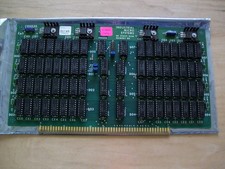
S-100 Industrial Micro Systems 8K Static Ram (IMS, Altair, IMSAI)
$69.95

Altair MITS S100 Backplane 8080A S-100 Replica IMSAI CP/M (bare board)
$40.00

BYTE Magazine Cover Jan 1977 Canvas Print 8"x10" Retro Computer Altair 880
$7.00
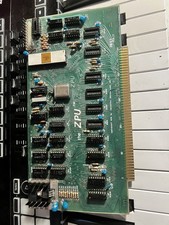
TDL “the ZPU” rev 1 February 1977 s100 cpu board
$345.00

S-100 backplane motherboard bare PCB 9 slot (for Altair/IMSAI)
$34.99

ALTAIR Bitcoin Mining Solutions PDU IEC SERIES 100-250V 30A/24A Power Distribute
$99.00
1976 Microprocessors Intel C4004 8008 CDP1802 IMP-16 PACE MC6800 Rockwell PPS-4
$39.99



 Reply With Quote