-
Senior Member
registered user
HOWTO: Change the boot logo/screen
The boot logo is a file called logo.16
It is in the boot.img. To view the boot.img : ( as root )
Code:
cp /cdrom/KNOPPIX/boot.img /tmp/
mkdir /mnt/bootimg
mount -o loop /tmp/boot.img /mnt/bootimg
Now, in /tmp/bootimg you should have :
boot.msg f1 ldlinux.sys logo.16 miniroot.gz syslinux.cfg vmlinuz
these files are for Syslinux and you should read the docs there about the display format ( relating to the f1 file and others )
the logo.16 file is a lss16 format image.
you should have the program ppmtolss16 , which turns a ppm image into a lss16 format image suitable for booting.
The image must be less than 640x480 or less. 640x400 leaves room at the bottom for the boot prompt.
It also must be 16 colors.
use the programs giftopnm or pngtopnm to change your gif or png 16 color image into pnm format, then pnmtolss16, which you can put in /tmp/bootimg.
then you can
Code:
unmount /mnt/bootimg
and then use that boot image when making the ISO file for your CD
Similar Threads
-
By A. Jorge Garcia in forum Hdd Install / Debian / Apt
Replies: 3
Last Post: 07-03-2004, 06:22 PM
-
By jzhai in forum Hdd Install / Debian / Apt
Replies: 2
Last Post: 06-04-2004, 05:10 PM
-
Replies: 4
Last Post: 03-09-2004, 03:05 PM
-
By kwiat in forum The Lounge
Replies: 1
Last Post: 02-13-2004, 06:47 PM
-
By Blue in forum Customising & Remastering
Replies: 1
Last Post: 06-25-2003, 07:01 PM
 Posting Permissions
- You may not post new threads
- You may not post replies
- You may not post attachments
- You may not edit your posts
-
Forum Rules


Genuine Cisco SFP-10G-SR 0-2415-03 10 Gigabit Transceiver
$5.40

NEW Sealed Cisco SFP-10G-LR 10GBASE-LR SFP+ 1310nm 10km *US Shipping*
$24.00

Cisco Acacia DP04QSDD-E25-840 400G QSFP-DD Coherent DCO Transceiver Module
$699.99

Cisco WS-C3650-12X48UR-L 48-Port Stackable Layer 3 8x10G SFP+ Port Switch
$129.99

SFP TO RJ45 TRANSCEIVER SFP MODULE COPPER SFP OPTICAL PORT TO RJ45 ETHERNET PORT
$7.99

Intel X520-DA2 10Gb 10Gbe 10 Gigabit Network Adapter NIC Dual Port E10G42BTDA
$28.94
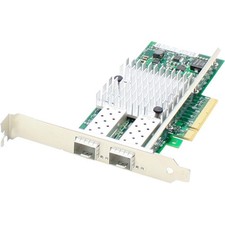
AddOn 10Gbs Dual Open SFP+ Port PCIe 2.0 x8 Network Interface Card w/PXE boot
$383.99

HP 560SFP+ 10GB 2-port PCIe NIC Ethernet ADAPTER 669279-001 w/ (2) 10GB SFP+
$16.99

Arista SFP-10G-SR 10GBASE-SR XVR-10001-20 850nm SFP+ Optical Transceiver
$20.70

Dell 10 Gigabit SFP+ SR Transceiver 0XYD50 NEW SEALED
$24.99



 Reply With Quote