

IS it possible to access persistent storage device (.knoppix.img) after booting into Knoppix?
I am not able to use my Sony Microvault 128MB USB with Knoppix. It mounts only as:
/dev/sda
I have to type:
mount /dev/sda /mnt/(whatever)
I would like to make my Sony Microvault as the persistent storage!!! Please address this issue fast. I have bought it after spending a lot of money.
I made my Hard Disk as the persistent storage. Then I copied the .knoppix.img file onto the Sony Microvault. At boot up time, I typed, knoppix home=/dev/sda. It accesses the file and asks me for the password (I am using Knoppix-MIB). After entering the password, it gives an error saying that /dev/sda does not exist, or something like that. Is there a way I can give a specified mount directory on boot up to make it work? Also can I see the contents of .knoppix.img file after I have booted into Knoppix. Because then I am able to mount the Sony Microvault successfully. I hope you look into this matter ASAP.
This issue has already been brought up by another Knoppix user.
The link is:
http://www.knoppix.net/forum/viewtopic.php?t=5121#24633
 Posting Permissions

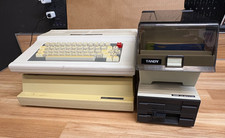
Vintage Tandy 128K Color Computer 3 FD-502 Disc Drive- Printer
$300.00

Vintage GTE XT300 Action Station Terminal 1984 - Tested Works Orig. Box & Foam
$889.00
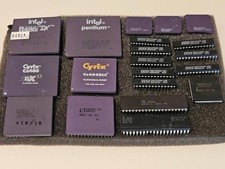
Vintage Computer BIOS IC and Other Chips Set Components Microprocessors Lot
$115.00
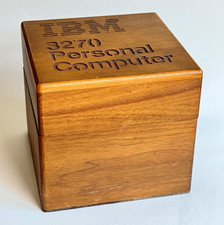
Ultra Rare Vintage IBM 3270 Personal Computer Wooden Floppy Disk Box Caddy
$179.99

Original Vintage Old Style STANDARD Black CD Jewel Case (Heavy Duty) 90g Lot
$316.95
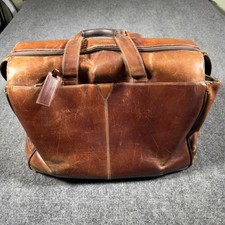
Vintage Johnston & Murphy Leather Duffle Briefcase Travel Bag Brown Old Money
$127.49

Vintage The Best Of Creative Computing Vol 1&2 Manual Soft Cover Book David Ahl
$60.00
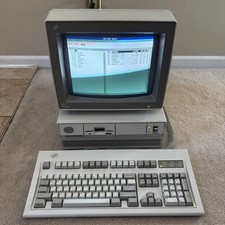
Vintage IBM Personal System/2 PS/2 Model 50 Type 8550 W Model M, Monitor READ
$700.00

Vintage Tandy Computer Varsity Scripsit Word Processing 3.5 & 5.25 Disks SEALED
$29.95
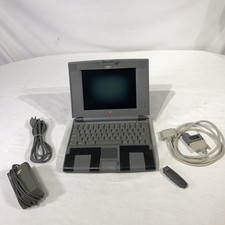
Apple Macintosh PowerBook 520 (500 Series) 90s Vintage Computer
$174.99


 Reply With Quote