-
Cleaning up
Hi,
I am a happy Knoppix/Debian user for over 5 months now, but there is one little thing that I'm not so very happy with.
Untill recently I did not know of the --purge option for apt-get, and since I've cleaned up my Knoppix HD install (removed alot of packages I didn't use) there are loads of configuration files in /etc/.
Does anyone know of a solution to solve this? I would really like to clean up my system..
-
Senior Member
registered user
Re: Cleaning up

Originally Posted by
Heavy-G
Hi,
I am a happy Knoppix/Debian user for over 5 months now, but there is one little thing that I'm not so very happy with.
Untill recently I did not know of the --purge option for apt-get, and since I've cleaned up my Knoppix HD install (removed alot of packages I didn't use) there are loads of configuration files in /etc/.
Does anyone know of a solution to solve this? I would really like to clean up my system..
If you know for certain that you are not going to re-install the application you can remove it's configurations files but if you ever re-install the application the configuration files will not be re-created the system will still think they are installed. It would probably be best if you are going to delete to move the files to a temporary directory to make sure that nothing else depends on them then after a while if things go well then delete them or use tar and compress them up to save space in case you ever re-install an app or find you need one of the files.
-
I've been thinking about that too, but it does not seem the best solution :/
I was kind of hoping for a apt-get (or dpkg) --purge-all-orphan-configfiles kind of thing 
-
Junior Member
registered user
Just do 'dpkg --purge packagename' to clean everything including configuration files.
-
But that would take an awful lot of time, plus, I don't remember all of the packages that have been installed 
Is there a list somewhere on my system with all the packages I ever had maybe? Then I could write a script that compares that list with the packages that I have at the moment, and do a dpkg --purge if it's not there anymore..
-
Senior Member
registered user
Disclaimer - I haven't done this before... but grab the original CD that you used to install from, and compare the packages.txt with the results of ' dpkg -l '.
' dpkg -l >curpkgs.txt '
' diff packages.txt curpkgs.txt '
--But seriously, config files don't take up a whole lot of space - especially with reiserfs and the default mount option (tail.)
--The other options I have both involve a lot of work, and should really only be done if you're really worried about these config files being on there from a security perspective, or (like me) you just want to feel good about how clean your system is.
0. BACKUP /etc. ' tar czvf ~/etc-backup.tgz /etc '
1. Fire up ' mc ' and go thru /etc file by file, deleting things that you know aren't installed anymore. However, this requires a thorough knowledge of Linux in general.
=====
Option 2:
o Backup critical files - CHANGE SCRIPT AS NECESSARY FOR YOUR SYSTEM ; I have an entry in fstab for /mnt/zippy as a 100-MB Zip IDE internal drive. - #BEGIN bkpcrit
Code:
#!/bin/sh
# Backup critical files (hopefully)

dest='/mnt/zippy'
mount $dest

##[ -e "$dest/NOTHERE" ] && echo "$dest NOT MOUNTED" && exit 99

# "If" checking for NOTHERE file...

dest=$dest'/linux-p233-knoppix32'
echo $dest = PK
read

mkdir $dest

# Copy this bkp script to zippy
cp $0 $dest
cp ~/localinfo.dat $dest

dpkg --get-selections > ~/dpkg-selections.txt
## To get your currently installed packages. Once you re-install then:
# dpkg --set-selections < dpkg-selections.txt
## To restore the saved selections to the package system.
#
## Then
# dselect update
## To update the database and
# apt-get dselect-upgrade
## To perform an upgrade using the the restored packages list.

time {
tar cpvzf $dest/bkp-ETC-debian.tar.gz /etc
tar cpvzf $dest/bkp-DEV-debian.tar.gz /dev
tar cpvzf $dest/bkp-rootbin-debian.tar.gz /root
tar cpvzf $dest/bkp-davesrc-debian.tar.gz /home/dave/src
tar cpvzf $dest/bkp-davebin-debian.tar.gz /home/dave/bin
tar cpvzf $dest/bkp-usr-local-debian.tar.gz /usr/local
tar cpvzf $dest/bkp-var-dpkg-status.tar.gz /var/lib/dpkg
tar cpvzf $dest/bkp-var-dpkg-backups.tar.gz /var/backups
# Dotfiles
cd /root
tar cpvzf $dest/bkp-root-dotfiles--restore-locally.tar.gz .[^.]*
cd /home/dave
tar cpvzf $dest/bkp-dave-dotfiles--restore-locally.tar.gz .[^.]*
}

ls $dest -al
df $dest
exit
o Backup entire system to a separate partition that won't be overwritten by a reinstall - #BEGIN bkpsys
Code:
#!/bin/bash

mount /dev/hda12 /mnt/extra
cd /mnt/extra/
mkdir bkps
cd bkps/

ls -l

bkpfname='hdb3-knoppix-32-intermediate-mostcfg-20030505'

dpkg -l >~/DEBInstalled.list

# XXX BACKUP DEB CACHE BEFORE RUNNING $0!!
#apt-get clean

time updatedb

time tar \
  --exclude=/mnt/* --exclude=/proc \
  --exclude=/cdrom --exclude=/floppy \
  --exclude=/.journal --exclude=/lost+found \
  -cvf - / | \
   gzip -9cv >$bkpfname.tar.gz

ls -l
o Now, reinstall latest Knoppix version. When done, **modify for your personal system** and then use the following script to recover necessary files from the backup: #BEGIN migratcrit
Code:
#!/bin/sh

# BACKUP ORIG ETC 1ST BEFORE RUNNING THIS!!

usetar=~/p233-etc.tar.gz

cd /

tar xzvf $usetar \
  etc/apt/sources.list \
  etc/init.d/boot.local etc/rc5.d/S98bootlocal \
  etc/init.d/console-screen.sh \
  etc/ftpusers etc/inittab etc/inputrc etc/issue \
  etc/login.defs etc/profile.local etc/proftpd.conf etc/securetty \
  etc/squid etc/squid.conf \
  etc/ssh/sshd_config etc/sudoers etc/syslog.conf etc/timezone

#        - DID NOT migrate: (mostly due to security)
#         /etc/ppp/* , /etc/hosts, /etc/inetd.conf, /etc/issue,
#         /etc/resolv.conf, wvdial.conf.

# console-screen.sh - fix screen font
# inetd.conf ?
# issue - for security
--THEN, go thru and start deleting packages you don't need, this time with --purge. See this thread ( http://www.knoppix.net/forum/viewtop...urgedebs#21452 ) for another script that you can modify for personal use. (Notice it already has the --purge included.) I use this script for fresh installs, really helps to get the system where I want it quickly.
--And now, a final word of advice. Start logging *EVERY SINGLE CHANGE* that you make to your system as root. You're a sysadmin, after all. If you delete/add a package outside of apt-get upgrade, TRACK IT. If you're really paranoid, write a script frontend to apt-get that logs all your parameters. (In fact, I should do this myself.) If you change a config file, write down what it was, and why. I do this with a file, /root/localinfo.dat that goes in the critical backup. This can help when something goes wrong, or you need to recreate what you did on another install.
Originally Posted by
Heavy-G
But that would take an awful lot of time, plus, I don't remember all of the packages that have been installed
Is there a list somewhere on my system with all the packages I ever had maybe? Then I could write a script that compares that list with the packages that I have at the moment, and do a dpkg --purge if it's not there anymore..
-
That looks like a nice & clean way to do it, I'll try it for sure, thank you
Similar Threads
-
By krazynesphreak in forum General Support
Replies: 3
Last Post: 04-11-2005, 06:55 PM
-
By kurohyou in forum Hdd Install / Debian / Apt
Replies: 1
Last Post: 01-21-2005, 06:09 PM
 Posting Permissions
- You may not post new threads
- You may not post replies
- You may not post attachments
- You may not edit your posts
-
Forum Rules


Vintage Intel Mainframe Server MCM CPU Substrate Lot Prototyping PGA Validation
$500.00

Vintage Telex 952003-112 Mechanical Terminal Keyboard IBM 3270 Mainframe DB25
$799.00

Vintage UNIVAC 3620670-01 Mainframe Logic Board 15MHz Sperry Computer PCB
$98.95

HP 5060-8359 8K Semiconductor Memory Module 5080-9747 Vintage HP Computer
$236.55

Vtg IBM Mainframe Prototype Chip Module Lot 146 pc 1988-1993 ES/9000 Lab Arcive
$649.00

Mainframe Computer Data Punch Card Lot of 50 Orange 80 Column IBM comp Vtg NOS
$15.00

Colorado Jumbo 250 Internal Tape Backup System Complete Set Mainframe Collection
$129.99

Rare Vintage Mainframe Burroughs Discrete-Transistor Cordwood Module B2500/B5000
$99.95
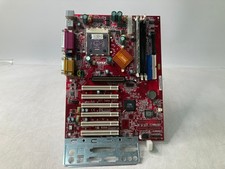
Vintage MSI K7T Turbo w/ AMD Athlon A1000AMT3C 256MB DDR Ram -Bloated Caps Parts
$69.99

Vintage IBM #192726 Paper Tape Punch Mainframe Computer Programming Tool 1960s
$135.65



 Reply With Quote