-
Junior Member
registered user
Help - can't get LINUX partition to show up in boot program
I am at my wit's end. I shrunk my Widnows 98se partition (whole hd) and created a new partition. ran knx-hdinstall from a how-to text which changed the new partition to LINUX. It is showing up in FDISK as a non-DOS partition, but the multi-boot program is supposed to be OS-independent. In FDISK it has no drive letter. It is not showing up in the multi-boot program. I had a logical drive on the new partition which didn't work either.
Anyone know what the problem is or can direct me to a different how-to or other documentation?
Thanks.
-
Senior Member
registered user
Re: Help - can't get LINUX partition to show up in boot prog

Originally Posted by
Drago
I am at my wit's end. I shrunk my Widnows 98se partition (whole hd) and created a new partition. ran knx-hdinstall from a how-to text which changed the new partition to LINUX. It is showing up in FDISK as a non-DOS partition, but the multi-boot program is supposed to be OS-independent.
What? Not even a hint as to what this mysterious multi-boot program is?
In FDISK it has no drive letter.
DOS fdisk or LInux fdisk?
It is not showing up in the multi-boot program. I had a logical drive on the new partition which didn't work either.
Whether or not the drive was primary or logical is irrelevant.
Anyone know what the problem is or can direct me to a different how-to or other documentation?
Thanks.
When you did the installation did you install LiLo anywhere? If you want to use another boot app then you need to install LiLo to your /root device.
Here's the deal- LiLo, or Smart Boot Manger or whatever is only the first stage. It simply points to the partition that needs to be booted. So, boot the Knoppix cd, mount your /root partition, chroot to that partition, edit /etc/lilo.conf and then /sbin/lilo.
If you need more detailed instructions, there are posts here about how to re-install lilo if you use the seach function.
Something you might want to consider (although it is not mandatory) is creating a swap partition. Also- there is a new installer
sudo knoppix-installer
There is a partitioning how-to in the hdinstall part of the forum too- I am just too lazy to post the link.
-
Junior Member
registered user
Thanks, the booter I'm using is in fact Smart something-or-other, available at SourceForge. I'll try following your directions.
Steve
Similar Threads
-
By alvb in forum Hardware & Booting
Replies: 2
Last Post: 06-05-2005, 11:15 PM
-
By ewangr in forum General Support
Replies: 27
Last Post: 08-12-2004, 04:01 PM
-
By Stephen in forum The Lounge
Replies: 35
Last Post: 04-07-2004, 01:00 AM
-
By hughmax in forum General Support
Replies: 1
Last Post: 04-10-2003, 03:17 AM
-
By silicosick in forum General Support
Replies: 3
Last Post: 04-06-2003, 06:14 PM
 Posting Permissions
- You may not post new threads
- You may not post replies
- You may not post attachments
- You may not edit your posts
-
Forum Rules


1969 EAI TR-20 Analog Computer Programming PACE Philbrick Electronic Associates
$32.00

Vintage George A Philbrick Researches Tube Analog Computer Module Serial 005503
$109.99

Refurbished Working 1960's Heathkit EC-1 Educational Electronic Analog Computer
$2999.99
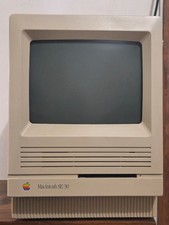
Apple MAC SE/30 Computer M5119, Vintage, Logic & Analog boards + PSU Recapped
$750.00
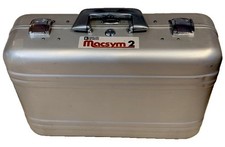
Analog Devices Macsym 2 Signal Simulator
$220.00

Vintage Early Week 12 1984 Apple Macintosh 128K Computer M0001 w/Analog Board+
$209.99
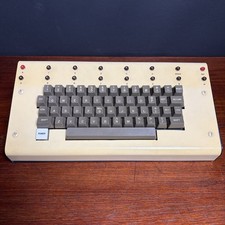
1979 vintage apple II 2 keyboard Mod CV Control Analog Synthesizer Paia Buchla
$500.00

1950 High Speed Computers Analog ENIAC UNIVAC EDVAC IBM SSEC Relay Logic Tubes
$65.00
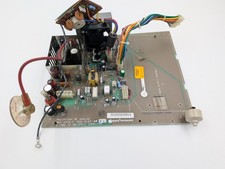
Apple Macintosh SE Analog Board 820-0206-C 630-0147-F - Working (260204)
$29.99

Apple II V2 ANALOG VGA & Z80 PCPI Applicard Softcard PicoPal IIe
$56.99



 Reply With Quote