

 Reply With Quote
Should be in /etc/ as /etc/lilo.conf
Lilo itself should be where you put it (by default, on the mbr).


I'm running a dual-boot system with a Knoppix install of Debian and Windows XP (and I hope to throw on a DOS 6.2, but that's a topic for another post). I installed Powerquest Bootmagic (before Knoppix) into my MBR and boot from that, with XP as my default operating system.
Now, when I boot up, if I select Linux, LILO comes up and asks me to choose operating systems again. It's my understanding that I can't remove LILO and still boot LINUX without a boot floppy. I was instead planning to try to edit /etc/lilo.conf and change the timeout to zero so I wouldn't have to wait (or hit Enter) to boot into LINUX.
Where is it? I checked /etc/ and couldn't find it. I did find /etc/lilo.conf.OLD but don't know what to do with it. I'm no stranger to computers, but am totally new to LINUX (hence the Knoppix install). Anyone?
Should be in /etc/ as /etc/lilo.conf
Lilo itself should be where you put it (by default, on the mbr).
I know. That's what's so weird, I can't find it there.
' ls -al /etc/lilo* ' == If the only file is .OLD,
' cd /etc; mv lilo*OLD lilo.conf ' and use that.
Originally Posted by Simon_Haddad
 Posting Permissions


HP ProLiant MicroServer Gen8 G1610T @2.3 GHz, 16GB, 712317-001 NO HDD/OS
$199.00

Supermicro CSE-937 3U Storage Chassis No CPU No HDD No Ram Tested & Reset
$129.99

Supermicro 1U Network Server Appliance 16GB RAM 800GB SSD 6 LAN Ports Powers On
$450.00

Nasuni NF-50 Supermicro Server, Atom CPU C2558, @ 2.40GHz, 8GB RAM-No HDD/OS/AC
$250.00

HP PROLIANT MICROSERVER GEN8 E3-1220LV2 @ 2.30GHz, 8GB RAM, NO HDD/OS
$164.97

New Barebones Supermicro 5019D Server, 4C/8T Xeon D-2123T, 1U Rackmountable, 10G
$449.99
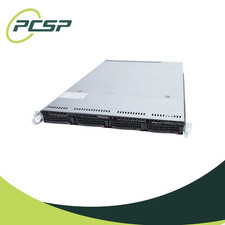
Supermicro CSE-815-5 4B LFF Xeon E3-1245v6 16GB DDR4 1x 9361-8i 4x 1TB SATA HDD
$483.99
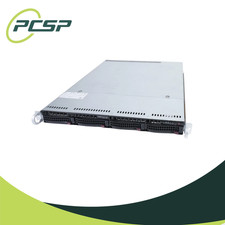
Supermicro CSE-815-5 4B LFF Xeon E3-1240v5 16GB DDR4 1x 9361-8i 4x 1TB SATA HDD
$484.00

$280.00

Supermicro CSE-937 3U Storage Chassis No CPU No HDD No Ram Tested & Reset
$129.99