

 Reply With Quote
Try mounting your drives like this:
sudo mount -o rw /dev/hdx?
Or, if it's already mounted:
sudo mount -o remount,rw /dev/hdx?


Hi!
After installing knoppix onto my hd and doing some settings I wanted to get write access for my FAT32-drive hda5.
Following the instruction I mounted hda5 by clicking the icon on the desktop. Then I did "change r/w permissions" which can be found in the context menu of the icon.
But this action had *absolutely no* effect, though it should have one, shouldn't it? Still a message appeared which told me that it is not possible to write, when trying to delete/create/edit a file on hda5.
Please *do* help me.
Knoppixer
Try mounting your drives like this:
sudo mount -o rw /dev/hdx?
Or, if it's already mounted:
sudo mount -o remount,rw /dev/hdx?
I will try that later on.
But whoes failure would it be, if your solution were correct, what it actually can be?
Well ya see.....i almost never even see my desktop but when I do there's redhead I'd rather see than icons.Originally Posted by knoppixer

Thanks to you! It even worked the next reboot without doing anything.
 Posting Permissions


Lot of 500 Cisco 10-3145-02 QSFP-100G-CWDM4-S 100G CWDM4 QSFP28 Transceiver
$1500.00

NEW Sealed Cisco SFP-10G-LR 10GBASE-LR SFP+ 1310nm 10km *US Shipping*
$24.00

Dell Intel X710-DA2 5N7Y5 Dual-Port 10GbE SFP+ PCIe 3.0 x8 Network Adapter
$27.50
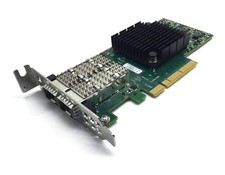
Dell Mellanox ConnectX-4 Lx CX4121C 020NJD Dual-Port 25GbE SFP28 NIC Low Profile
$35.00

SFP TO RJ45 TRANSCEIVER SFP MODULE COPPER SFP OPTICAL PORT TO RJ45 ETHERNET PORT
$7.99

Genuine Cisco SFP-10G-SR 0-2415-03 10 Gigabit Transceiver
$5.40

HP 560SFP+ 10GB 2-port PCIe NIC Ethernet ADAPTER 669279-001 w/ (2) 10GB SFP+
$16.99

Intel X520-DA2 10Gb 10Gbe 10 Gigabit Network Adapter NIC Dual Port E10G42BTDA
$33.94

HPE 560SFP 2x 10Gb SFP+ PCIe Both Profile Network Card 669279-001 665247-001
$14.90

Trenz Electronic SFP to SMA Adapter Board PCB Module
$105.00