

 Reply With Quote
On my LCD screen I used xvidtune to adjust the image on the screen. Might give that a try it is with Knoppix run from console.


Hi,
I used the 3/11 release and another one (can't remember which) and
I see my screen at an offset when kde loads. This means I can't see
some stuff at the lower right area of my desktop. My computer is
a LCD screen attached to the computer, 8mb graphic memory (shared)
and a pIII 1Ghz. My screen doesn't have buttons to set the screen's
position like some screens do, so I'm pretty much stuck.
Someone told me to set the hrefresh and vrefresh to 60hz (like what's
set in my winxp) but that didn't help.
Anyone knows a solution to this?
(If you need more information, please tell me and I'll provide it)
p.s.
I also tried DSL and it works perfectly there. Any ideas?
On my LCD screen I used xvidtune to adjust the image on the screen. Might give that a try it is with Knoppix run from console.
Hi, thanks for your reply.
I tried using xvidtune as you suggested and used the
left button to move the screen with no luck. Nothing
happened and the screen continues to stay at its position.
I found it hard to beleive I'm the only one who encountered
this. Linux gurus? please? Am I missing something in the
boot options? In DSL the screen shows up right, and I
thought DSL is a knoppix remaster, so how could it be?
What is DSL doing differently?
thanks
Just wanted to add that I hit "Test" button after moving
the position several steps to the left. So it's not
that.
guys?
Please?
in xvidtune you need to press the [apply] button to set your changes...
Just an idea, copy the /etc/X11/XF86Config-4 file from DSL to hd or floppy or ??? start knoppix in knoppix 2 text mode copy the good XF86Config-4 file to /etc/X11/XF86Config-4 then use startx to get into KDE then save your knoppix configuration for reboot.
~rock
thanks,
But it says in the beginning that changes might do permanent damage toin xvidtune you need to press the [apply] button to set your changes...
the screen or the configuration, which spooked me a little since I still
need this computer (badly!). : - )
Thanks, I'll give it a try when I'll be at my computer.Just an idea, copy the /etc/X11/XF86Config-4 file from DSL
Guys, I'm stumped. I just can't seem to figure this problem
out. I looked for XF86Config-4 file in DSL but I only found
XF86Config file which has some other format than the file
in knoppix. I also tried these cheat codes:
knoppix fb1024x768 xmodule=fbdev vga=normal
however, it failed to load alltogether, saying my screen
doesn't support it. Also tried pressing [crtl]+[alt]+[-] as
someone suggested, didn't work either.
Can't anyone think of a reason why it can happen?
p.s.,
do you really want me to go back to windows?
please ......
aahhhhhhhaaaaa,
I tried logging with knoppix 2, then replaced the XF86Config-4 file
and doing startx. I did this with the DSL config file which crashed,
tried with a modified (using kde, I configured the monitor and adapter
and then saved the file) and it loaded with a white screen and that's
it. What can I do?
I also noticed that when booting with knoppix, there's a error in there,
can't remember exactly the words, but it goes something like this:
"PCI: could not allocate resource for device 1.04" or something like
that. But after that I do see the right adapter displayed (I also see
the right sound device but I can't hear music, what's going on?).
The screen shows like that only when kde loads. When booting up untill
kde loads, the screen is aligned perfectly.
please, please, please tell me how to fix this.
 Posting Permissions


Vintage Intel Mainframe Server MCM CPU Substrate Lot Prototyping PGA Validation
$500.00

HP 5060-8359 8K Semiconductor Memory Module 5080-9747 Vintage HP Computer
$157.30

HP 13210-60001 Disc Drive Interface PCB HP 7900A 7901A Vintage
$157.93

Vintage Telex 952003-112 Mechanical Terminal Keyboard IBM 3270 Mainframe DB25
$799.00

Vtg IBM Mainframe Prototype Chip Module Lot 146 pc 1988-1993 ES/9000 Lab Arcive
$649.00

Computer Tape Reel 1600 BPI 9 Track Vintage Mainframe LOT OF 2 WITH BOX
$89.95

Vintage Mainframe Computer Disk Drive Pack Dyson SMD 5 Level Disks
$79.00

Rare Vintage Mainframe Burroughs Discrete-Transistor Cordwood Module B2500/B5000
$99.95
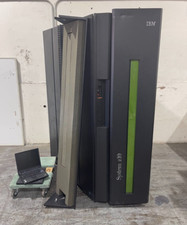
IBM System Z10 Type 2098 Mainframe (As-Is)
$6999.99

IBM 3274-51C Controller 3270 mainframe 8" floppy tested to power on
$500.00