

 Reply With Quote
Originally Posted by Ziandabo
open up kernal and type
press enter then typeCode:sudo su
then type a password and then you are a happy camperCode:passwd


Hi im running the new 3.3 release on as hd install
and I am not able to set a root password. I CAN su to root
and do what i wanna do also execute passwd and change root password which ends with "password updated successfully" or something like that
help please
open up kernal and type
press enter then typeCode:sudo su
then type a password and then you are a happy camperCode:passwd
it seems to me like password's for physical user are totaly turned off in 3.3
if i login via ssh everthing is normal su needs a password and so on why is that??
 Posting Permissions


HPE ProLiant MicroServer Gen10 Plus 32GB RAM Xeon E-2224 3.40Ghz No HDD No AC
$750.00

HP ProLiant MicroServer Gen8 Tower Server Xeon E3-1220 v2 2.3GHz 16GB RAM
$289.99

HP Proliant MicroServer Gen 8 2.23GHz Xeon 16GB RAM NO SSD
$249.99

Nasuni NF-50 Supermicro Server, Atom CPU C2558, @ 2.40GHz, 8GB RAM-No HDD/OS/AC
$250.00

New Barebones Supermicro 5019D Server, 4C/8T Xeon D-2123T, 1U Rackmountable, 10G
$449.99

1U Edge Firewall Server X11SCW-F Xeon E-2174G 0 RAM M.2 NVME 3x PCI-e 2x PSU X
$200.00

Supermicro 5019D-4C-FN8TP Xeon D-2123IT (4C/8T) 64GB DDR4 10GbE 480GB 1U Server
$689.00
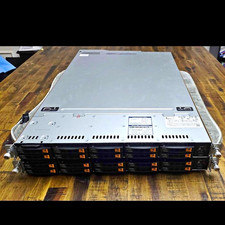
Supermicro Super Server 1029U-TN10RT Dual Xeon Silver 4210 - 10-Bay NVMe Rack
$500.00

Supermicro CSE-937 3U Storage Chassis No CPU No HDD No Ram Tested & Reset
$129.99
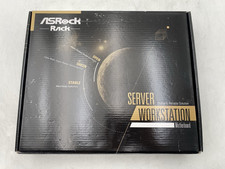
ASRock Rack ROMED8-2T/BCM Server Motherboard For Parts/Repair
$365.00