-
I have now tried various combinations of BIOS switches (enable/disable USB, assign IRQ to USB or not, enable/disable ACPI) and boot options (noapic, acpi=off, pci=noacpi), and nothing works - it looks like my USB controller is not going to work with my Linux version. 
Oh well... I have gotten myself a CompactFlash-to-IDE adapter now, which means rebooting my system every time I want to change the cf-card, but which works otherwise well, so I can do without USB. Thanks to everybody who hast tried to help !
Heiko
-
Senior Member
registered user
You are not alone, Heiko. I've tried a load of BIOS options, too. From the dmesg listing it seems that all my usb kit is present and correctly recognised. It seems that something needs to be activated/pointed at/whatever it's called and that's my problem. I have no idea what information to post here and what questions to ask. It seems pointless posting reams of output to bore everyone. Afraid we need to bribe the experts like aay, ricky and Stephen to take pity on us!
OG.
PS. When I switch APIC off in BIOS (which I always do, not being a WXP user) the Live K3.2 version switches it back ON!
-
Senior Member
registered user
It must be something I'm not doing. The SuSE live CD not only installs USB but also correctly recognises the printer attached therethrough. The printer list as well as the printer remain stubbornly absent from the print manager, however. Same problem. Some kind of file/device association is missing? Please can one of the gurus assist? It's got to be a simple answer? Is there a generic instruction available to deal with this problem?
Many Thanks,
OG.
-
Senior Member
registered user
Well, the 3.3 CD works exactly as advertised - everything seems to work, including USB hub. The problems only seem to arise in the installed version. Curious?
OG.
-
Heiko: how to load usb-storage manually:
Hello Heiko,
I saw you post on knoppix.net and would like to ask you a question:
How do you load usb-storage manually? I have a Knoppix hard disk installed laptop with UHCI and usbviewer has detected the hub. I don't have usb-storage in my /proc/bus/usb. I can't do a make menuconfig as suggested by linux-usb.org because I don't know which directory I am supposed to it, plus I don't know how to recompile the kernel. I can't get any devices other than the hub to appeeat in usbviewer.When trying with a scanner, using dmesg I get errors about the USB devices not accepting the new address.
Please help. Thanks,
Frank
-
Senior Member
registered user
Re: Heiko: how to load usb-storage manually:

Originally Posted by
cputoaster
Hello Heiko,
I saw you post on knoppix.net and would like to ask you a question:
How do you load usb-storage manually? I have a Knoppix hard disk installed laptop with UHCI and usbviewer has detected the hub. I don't have usb-storage in my /proc/bus/usb. I can't do a make menuconfig as suggested by linux-usb.org because I don't know which directory I am supposed to it, plus I don't know how to recompile the kernel. I can't get any devices other than the hub to appeeat in usbviewer.When trying with a scanner, using dmesg I get errors about the USB devices not accepting the new address.
Please help. Thanks,
Frank
To load manually as root modprobe usb-storage the module should already be on the system to have it load every time on boot edit the file /etc/modules and add the usb-storage on a line by itself this also done as root.
-
Thanks, I did that and the usb-storage appeared properly in /proc/bus/usb/drivers. I still have the problem of the USB device not accepting the new address as given by "dmesg |grep USB".
-
HELP~! and hello
I think i have encountered similar problems
I am not able to see AANY devices with USB view, and yet previously with A cd image, I saw devices fine.
here's the obligatory grep results:
usb.c: registered new driver usbdevfs
usb.c: registered new driver hub
usb-uhci.c: $Revision: 1.275 $ time 20:50:29 Oct 3 2003
usb-uhci.c: High bandwidth mode enabled
usb-uhci.c: USB UHCI at I/O 0xd800, IRQ 10
usb-uhci.c: Detected 2 ports
usb.c: new USB bus registered, assigned bus number 1
usb-uhci.c: USB UHCI at I/O 0xd000, IRQ 10
usb-uhci.c: Detected 2 ports
usb.c: new USB bus registered, assigned bus number 2
usb-uhci.c: USB UHCI at I/O 0xd400, IRQ 11
usb-uhci.c: Detected 2 ports
usb.c: new USB bus registered, assigned bus number 3
usb-uhci.c: v1.275:USB Universal Host Controller Interface driver
usb.c: USB device 2 (vend/prod 0x402/0x5621) is not claimed by any active driver.
usb.c: registered new driver usb-storage
usb.c: USB disconnect on device 00:1d.1-1 address 2
usb.c: USB disconnect on device 00:1d.1-1 address 3
usb.c: USB disconnect on device 00:1d.1-1 address 4
I tried to mod usb-storage but don't seem to see any change/... I will check out linux-usb.org
Similar Threads
-
By bongski55 in forum Hardware & Booting
Replies: 4
Last Post: 11-15-2003, 10:19 AM
-
By Triple Six in forum Hardware & Booting
Replies: 2
Last Post: 04-15-2003, 04:23 AM
 Posting Permissions
- You may not post new threads
- You may not post replies
- You may not post attachments
- You may not edit your posts
-
Forum Rules


HP ProLiant MicroServer Gen8 Tower Server Xeon E3-1220 v2 2.3GHz 16GB RAM
$289.99

HP Proliant MicroServer Gen 8 2.23GHz Xeon 16GB RAM NO SSD
$249.99

Supermicro E300-12C Mini 1U Barebone X12SCV-LVDS LGA1200 SNK-P0073A4 w/ Adapter
$225.00

Supermicro CSE-937 3U Storage Chassis No CPU No HDD No Ram Tested & Reset
$129.99
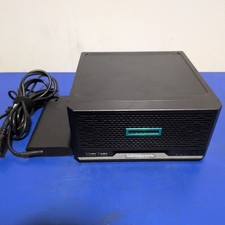
HPE ProLiant MicroServer Gen10 Plus with Power Adapter
$600.00

Supermicro 5019D-4C-FN8TP Xeon D-2123IT (4C/8T) 64GB DDR4 10GbE 480GB 1U Server
$649.00

New Barebones Supermicro 5019D Server, 4C/8T Xeon D-2123T, 1U Rackmountable, 10G
$449.99
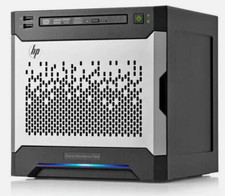
HP MicroServer Gen8 LOADED 12TB + 16GB RAM Win Server 2025 iLO Advanced SSD Boot
$679.00

Nasuni NF-50 Supermicro Server, Atom CPU C2558, @ 2.40GHz, 8GB RAM-No HDD/OS/AC
$250.00

Supermicro 938-16 16-LFF MicroCloud SuperServer 5038MR-H8TRF *No Blade Servers*
$159.99



 Reply With Quote