-
Knoppix will not burn
I have just recently downloaded thed newest english release of knoppix, however when I try to burn it it gives me an Error stating "Illegal mode for this track" this is after the copying is completed, during the lead out phase. It did complete the process twice with no errors, but there is no data on the disk. how can I solve this problem.
-
Senior Member
registered user
Let us know what package or application you are burning the CD with. Also, check that the image you downloaded is not corrupted, by checking its 'md5' sum. If for example you use K3B to burn the iso (as I did today from a download made last night) - it will show you the md5 sum and also the creator of the iso, so as long as the CDR is a 700Mb one (i.e. an 80 minute NOT 74 minute disk) you should be successful.
Before I moved to Knoppix I used Roxio on W98SE to burn my first Knoppix iso without problems. Please give more information!
Stu.....
-
I have the same problem as well . I am using NERO and all I get is 3.7k of garbage 
-
Senior Member
registered user

Originally Posted by
mikemerch
I have the same problem as well . I am using NERO and all I get is 3.7k of garbage
Have you got the patch for Nero it has problems burning ISO's that are close to the full size of the disc it thinks it has to overburn and screws up the CD.
-
 I finally got a good burn, after creating a six pack of coasters. Any instructions I had found for burning an iso image using Nero referred to older versions;
Use the following instructions for newer versions of Nero ( Contributed by Anthony P. ) This info comes from. http://www.linuxiso.org/viewdoc.php/neroburning.html
"Start Nero
Choose the menu command "File"->"Burn Image"
An "Open" file dialog box appears with the following image types supported (*.nrg, *.iso, *.cue)
Select your download LinuxISO file and click Open
The "Write CD" dialog box appears with several tabs (Info, Foreign image, Misc, Burn).
Click the 'Burn' Tab
Confirm that 'Write' and 'Finalize' are selected
Click on "Write". Watch it burn. "
-
Re complaints about bad burns - I'm curious what you try
I am just curious of those people that complain about bad burns and stuff.
1st do you read the faq on knoppix.net about how to burn
What burners are you using and what OS. I'm using a
sony cd-rw crx160e with xp home and I do remember there being a mention about first use cdrw for your first burn until you get it right. that is what I did and yes it took me about 10 burns cause it was hard finding info on the nero patch as I was getting most of my info from knoppix.org the german site.
Skyshine
-
Senior Member
registered user
Re: Re complaints about bad burns - I'm curious what you tr
Originally Posted by
skyshine
I am just curious of those people that complain about bad burns and stuff.
1st do you read the faq on knoppix.net about how to burn
What burners are you using and what OS. I'm using a
sony cd-rw crx160e with xp home and I do remember there being a mention about first use cdrw for your first burn until you get it right. that is what I did and yes it took me about 10 burns cause it was hard finding info on the nero patch as I was getting most of my info from knoppix.org the german site.
Skyshine
Well since I burn with linux I never have problems what I find strange about the Nero software is it is obvious that whoever programed it did not know how to calculate using binary sizes for an ISO they got the math wrong and the program thinks the file is too big and to your 1st comment on reading the docs or maybe even searching before asking a question that is an alien concept to many people.
Similar Threads
-
By Warwizard in forum General Support
Replies: 2
Last Post: 01-18-2005, 06:06 PM
-
By tup34 in forum The Lounge
Replies: 3
Last Post: 05-01-2004, 06:23 PM
-
By ptayanvo in forum General Support
Replies: 5
Last Post: 01-19-2004, 02:19 AM
-
By mikelaw101 in forum General Support
Replies: 6
Last Post: 11-13-2003, 11:11 PM
-
By mann in forum The Lounge
Replies: 1
Last Post: 01-08-2003, 01:26 AM
 Posting Permissions
- You may not post new threads
- You may not post replies
- You may not post attachments
- You may not edit your posts
-
Forum Rules


6 Vintage DEC Digital System Building Blocks - Flip Chips
$295.00

Vintage DEC Digital Starion 200 Desktop PC Powers On Boots To BIOS NO HDD - DW
$269.99

Vintage DEC/Mostek memory systems MK 8015 AA-00 6805-08015 1100 REV C(B7)
$279.99
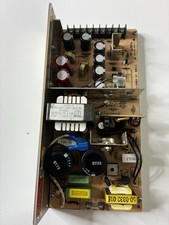
Vintage DEC LR150-11 Power Supply 70-0464-01 Rev C Sun Shoebox Micropolis
$140.00

VINTAGE DEC LA34/ LA100 SERIES KEYBOARD W/NUMERIC PAD 70-17864-01C
$140.00

Vintage DEC PDT11 (VT100 Series) Terminal (Powers On).
$550.99
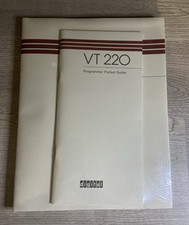
Vintage DEC Digital VT220 Programmer Pocket Guide Factory Sealed NOS
$34.99
Vintage DEC (Digital Equipment Corp) TK-50 Tape Drive
$80.00
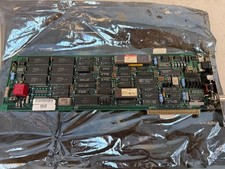
Vintage DEC Digital LANCE Ethernet Card 21-34974-07 Green
$29.25

DEC DIGITAL VINTAGE DEHUB-AX
$129.99



 Reply With Quote