-
Senior Member
registered user
how many partitions are needed?
Looking ahead to doing hdd install of knoppix and was wondering if I can get away with just 2 partitions, a swap partition and another partition for everything else? I never understood why all of those different partitions were needed for linux installs. Is it just for performance? The reason I want just 2 partitions is that then I can easily create a backup partition of the main partition using something like partition commander. Then if and when I screw up the os, it can easily be restored from the backup. This worked well in my experimenting with windows os's, can't see why it wouldn't for linux.
-
1 partition is fine;you only need 'swap' if you are a bit short of real memory, and even then you might want to consider buying more real memory first.
More partitions are useful if
1) You have an old BIOS which won't boot from beyond a certain distance from the start of a disk, and you need to force the kernel below this line
2) You might want to wipe and reinstall on a partition, while leaving data on other partitions intact
3) You want to explore which of JFS, ReiserFS, and XFS suits you best
4) You want to arrange that a runaway program writing to one partition does not fill up disk which another user might need
5) You want to be able to boot several flavours of Linux and/or Windows
6) You might want to move part of your data to a different disk another day
and probably a few other reasons I have not thought of. Starting with 1 (not taking up the whole disk) and thinking about others later is quite a good idea for a personal system.
Booting Knoppix and using the 'dd' (device-to-device copy) command will work quite well for dumping and restoring partitions.
-
Senior Member
registered user
how many partitions?
Thank you, tjcw, that's just the answer that I was looking for.
Similar Threads
-
By BNU-FaNtAsMa in forum General Support
Replies: 2
Last Post: 08-22-2004, 11:06 PM
-
By ryansanders2002 in forum General Support
Replies: 1
Last Post: 06-19-2004, 07:47 PM
-
By nishtya in forum General Support
Replies: 37
Last Post: 04-17-2004, 09:11 PM
-
By junior in forum General Support
Replies: 5
Last Post: 08-08-2003, 05:41 AM
-
By Mr. G in forum Customising & Remastering
Replies: 1
Last Post: 11-23-2002, 01:06 AM
 Posting Permissions
- You may not post new threads
- You may not post replies
- You may not post attachments
- You may not edit your posts
-
Forum Rules


HP ProLiant MicroServer AMD Athlon II Neo N36L 1.3GHz 8GB RAM 4-Bay NAS Server
$99.00

Supermicro 1027GR-TSF 1U Rackmount Server 2x Xeon 2.3GHz 128GB DDR3
$219.99

Supermicro 721-2 Mini Tower Black Computer Server NO Hdd
$375.00

Supermicro 505-2 Server
$280.00

New Barebones Supermicro 5019D Server, 4C/8T Xeon D-2123T, 1U Rackmountable, 10G
$449.99
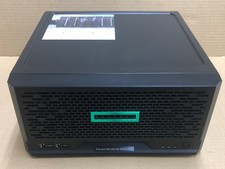
HPE ProLiant MicroServer Gen10 Plus Xeon E-2224 8GB Japan
$588.18

1U Supermicro SuperServer 5019D-4C-FN8TP Xeon D-2123IT 4 Core 32GB X11SDV-4C-TP
$699.00
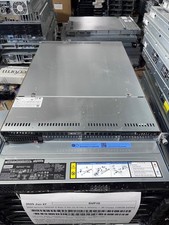
Supermicro 1U Server X11SCW-F Xeon E-2174G 16GB RAM 1x M.2 NVME 3x PCI-e 2x PSU
$220.00

BOXX B157552 SuperMicro X10DRT-L 2x Intel 2630V4 NO RAM & SSD Server
$160.99

Nasuni NF-50 Supermicro Server, Atom CPU C2558, @ 2.40GHz, 8GB RAM-No HDD/OS/AC
$250.00



 Reply With Quote