

 Reply With Quote
Login as root and use your favorite text editor (gvim ,emacs, etc.) to edit config files. Config files are plain text files.
Hope this helps.
mag

Thanks for this great forum for this great distro. I just discovered it, and I am wondering how I can change the configuration files. Most seems to be read-only.
How do I edit files like xdm-config, hosts.allow, hostname, etc?
Thanks,
Lars.
Login as root and use your favorite text editor (gvim ,emacs, etc.) to edit config files. Config files are plain text files.
Hope this helps.
mag
No, that was a pretty useless comment, try to be a little more constructive next time. Thanks.
But what I did find out is that the configuration files are typically symbolic links. Thus:
1) Delete the symbolic link
2) Copy the actual configuration file of interest from the CD
3) Now edit the configuration file.
Example:
cd /etc/kde3/kdm
rm /etc/kde3/kdm/kdmrc (delete symbolic link)
cp /KNOPPIX/etc/kde3/kdm/kdmrc . (copyfile back from CD)
vi /etc/kde3/kdm/kdmrc (edit file)
Lars.
First of all config files are not symbolic links at all. In your example, you gave a kdmrc as config file. It's not a config file but and rc(run command) file. Config files are just plain text files and do not have symlinks at all. Maybe you should learn the nomenclature. My intention was to only help you. Comments like "That was a pretty useless comment" will not get you anywhere. Please be more considerate toward other people. It doesn't sound nice and polite.
It says that the root login is "locked"(this on the cd use)(this means?)
If installing to the hard drive one source says that you cannot use the same "word" for both the username and the password. (with Linux) I did this and now it seems that I am unable to su to root privileges.
Do I have to re-install?
Thanks

I don't know squat, but this is how I edit config text files.
I have Epson stylus 2500 pro printer/scanner on USB.
To get scanner working I had to edit epson.conf file for the SANE module.
I opened file from Knoppix CD (read only) in editor (Kedit) and then saved it to the ram drive in knoppix home directory. That made the owner the Knoppix User. Then I edited it and ran Ximagescan scanner service (GUIsane mod) and then Kooka to make scans. Ximagescan found the file and my Epson scanner thereafter. Kooka program makes scans and allows setting scanner options. I was surprised that the Sane library, or whatever it is, even allowed me to use my Automatic Document Feeder.
WOW! I wish for every program I use, I could use Linux and dump Windows forever.
If I just copy and paste the file, or drag file it remains as the Root for owner and can't be edited.
I have read every post about Root and Passwords (here and LinuxTAG and stuff on the net) and still don't understand what I'm supposed to be doing, but the above worked for me. I've done SU PASSWD and SUDO PASSWD and just PASSWD in root shell, done LOGIN and SU Login and just get frustrated because it's not obvious what I'm actually accomplishing.
Maybe somebody will explain Root Passwords and Linux use better in a post for dumb new users like me sometime.
Thanks Demon Worship.
I also got advice from the post about "Knoppix as Webserver".
I agree with you about needing a "simple" explanation about Root etc. (and about life, Linux and everything)
Could do worse than check out the Rute users guide to Linux at http://rute.2038bug.com/index.html.gz
Its reasonably "simple" ;>
To set the root password, open a root shell (from KNOPPIX Menu), and issue
passwd root
-Lars.
--FYI, when running from the CD - many/most config files *are* symlinks. If you want to edit them, you have to rm the symlink 1st and cp the file from /cdrom or /KNOPPIX to ' / '(ramdisk) or another writable Linux filesystem (not msdos or vfat.)
Originally Posted by mag
 Posting Permissions


HP ProLiant MicroServer Gen8 Tower Server Xeon E3-1220 v2 2.3GHz 16GB RAM
$289.99

Supermicro CSE-937 3U Storage Chassis No CPU No HDD No Ram Tested & Reset
$129.99

Supermicro E300-12C Mini 1U Barebone X12SCV-LVDS LGA1200 SNK-P0073A4 w/ Adapter
$225.00

HP Proliant MicroServer Gen 8 2.23GHz Xeon 16GB RAM NO SSD
$249.99

Supermicro 5019D-4C-FN8TP Xeon D-2123IT (4C/8T) 64GB DDR4 10GbE 480GB 1U Server
$649.00

New Barebones Supermicro 5019D Server, 4C/8T Xeon D-2123T, 1U Rackmountable, 10G
$449.99

HPE ProLiant MicroServer Gen10 Plus 32GB RAM Xeon E-2224 3.40Ghz No HDD No AC
$750.00
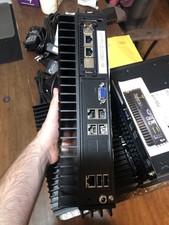
Supermicro SYS-E302-9A Fanless Firewall Atom C3558 16GB ECC 64GB SSD 6x GbE i350
$500.00

POGO ATLAS 1102 Server 32 Gb RAM 4TB Storage 2x2TB HDD’s (Tested-Working) No OS
$179.85

Supermicro 938-16 16-LFF MicroCloud SuperServer 5038MR-H8TRF *No Blade Servers*
$159.99