-
Junior Member
registered user
I take it you mean Frozen Bubble and Tux Racer?
Something you may want to try is open up a shell (Konsole) and type in frozen-bubble. I don't know if that's the executable's name or not, so type in frozen[TAB] (so, frozen and then hit the [TAB] key and file completion will kick in).
Post any error messages that you may get.
I can guarantee that *.exe files are Windows binaries. Using WINE (stands for "WINE Is Not An Emulator") is hit and miss.
I can play the game Fallout 2 perfectly, and Deus Ex (with no h/w acceleration) runs better than in Windows XP, but if I try to play DXBall, it fails miserably. Sid Meier's Alpha Centauri shows only half the screen, and the fonts on it are black on my machine. Diablo II wanted the CD in the drive (even though it *was* in the drive). Those are just a few examples.
If you run a program like Crossover Office (which you can't do on the live-cd portion, and you probably can't run any of the above stuff either on the live-cd), you should be able to run a large number of MS Office - type apps.
Even so, there's OpenOffice.org and StarOffice, which run natively in Linux.
If you're willing to do a HD install, you will find that there's a Linux equivalent to anything on Download.com or anywhere else. Synaptic and apt-get (Knoppix / Debian package manager) is a wonderful thing, if not overwhelming at first. There's 11000+ applications there. A lot won't make sense, but some of them will.  And you can always ask.
Similar Threads
-
By rpeck in forum General Support
Replies: 3
Last Post: 05-07-2005, 03:02 AM
-
By kornface13 in forum General Support
Replies: 1
Last Post: 05-06-2004, 03:16 PM
-
By kessragnell in forum General Support
Replies: 5
Last Post: 04-25-2004, 06:59 AM
-
By mystical_kakarot in forum General Support
Replies: 0
Last Post: 02-11-2004, 12:02 AM
-
By sunray in forum General Support
Replies: 3
Last Post: 02-07-2004, 06:21 PM
 Posting Permissions
- You may not post new threads
- You may not post replies
- You may not post attachments
- You may not edit your posts
-
Forum Rules


HP ProLiant MicroServer Gen8 Tower Server Xeon E3-1220 v2 2.3GHz 16GB RAM
$289.99

HP Proliant MicroServer Gen 8 2.23GHz Xeon 16GB RAM NO SSD
$249.99

POGO ATLAS 1102 Server 32 Gb RAM 4TB Storage 2x2TB HDD’s (Tested-Working) No OS
$179.85

Supermicro E300-12C Mini 1U Barebone X12SCV-LVDS LGA1200 SNK-P0073A4 w/ Adapter
$225.00

HPE ProLiant MicroServer Gen10 Plus 32GB RAM Xeon E-2224 3.40Ghz No HDD No AC
$750.00

New Barebones Supermicro 5019D Server, 4C/8T Xeon D-2123T, 1U Rackmountable, 10G
$449.99
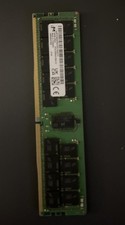
MICRON MTA36ASF8G72PZ-3G2E1TI 64GB DDR4 PC4-3200AA RDIMM ECC
$600.00

Supermicro SuperServer E300-15 - SYS-e300-9C - 16GB RAM 240GB Samsung SSD
$199.99

1U Supermicro Firewall Router Jumpbox 6x 10GB Ethernet 3.5Ghz 32GB RAM 2x PSU X
$299.00

Supermicro 938-16 16-LFF MicroCloud SuperServer 5038MR-H8TRF *No Blade Servers*
$159.99



 Reply With Quote