-
Senior Member
registered user
Boot the CD
Mount the XP partition (probably /dev/hda1)
Change the read-write mode
^ Both of those can be done in KDE by right-clicking the drive icon and choosing those options. If the drive is NTFS, it will complain when you try to enable write mode.
Assuming it is FAT32, you would then run these commands from a terminal
su
cd /mnt/hda1
kedit boot.ini
The default boot.ini file would look like this:
[boot loader]
timeout=30
default=multi(0)disk(0)rdisk(0)partition(1)\WINNT
[operating systems]
multi(0)disk(0)rdisk(0)partition(1)\WINNT="Windows XP" /fastdetect
Similar Threads
-
By jct in forum Hardware & Booting
Replies: 0
Last Post: 03-20-2005, 08:04 PM
-
By macgregor in forum Customising & Remastering
Replies: 0
Last Post: 12-11-2004, 07:03 AM
-
By snippy in forum General Support
Replies: 12
Last Post: 12-04-2004, 02:49 PM
-
By riviereg in forum General Support
Replies: 2
Last Post: 09-04-2004, 12:21 PM
-
By Neo855 in forum General Support
Replies: 3
Last Post: 02-23-2004, 03:14 PM
 Posting Permissions
- You may not post new threads
- You may not post replies
- You may not post attachments
- You may not edit your posts
-
Forum Rules


Lot of Nearly 80 Commodore 64/128 Floppy Disks
$100.00

Commodore OS USB | Bootable LIVE + Install | The Ultimate Gaming Linux OS | NEW
$11.99
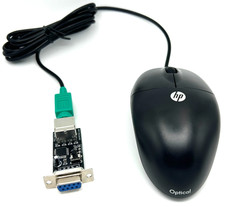
Commodore 64 1351 Compatible Optical Mouse with Adapter (Geos etc) - USA Seller
$29.99

Pi1541 Zero with Epyx Fastload Hat, Case & 16gb SD for Commodore 64 and 128
$79.99
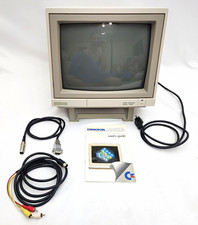
Commodore 1902A Color CRT Monitor C64 C128 Original Box Manual Cables Powers On
$290.00
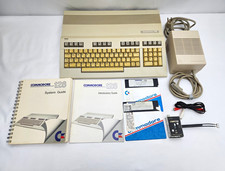
Commodore 128 C128 Matching Serial Box Manuals System Disks PSU Complete Set
$209.00

Commodore 64 Serial Cable 6PIN DIN 1541 1571 C64 128 C128 Disk Drive Printer USA
$10.49
Vintage XETEC FASTRAK SH Series SCSI Hard Disk System FTCA Commodore Amiga 1
$298.99

Commodore 64 Dead Test & Diagnostic Cartridge & Test Harness Set - USA seller
$39.99

Commodore 1541 Emulator Complete incl PI Zero & 2GB SD CARD, OLED, USA Seller
$59.99



 Reply With Quote